Top 2 Android Apps to Customize Status Bar & Notification Panel
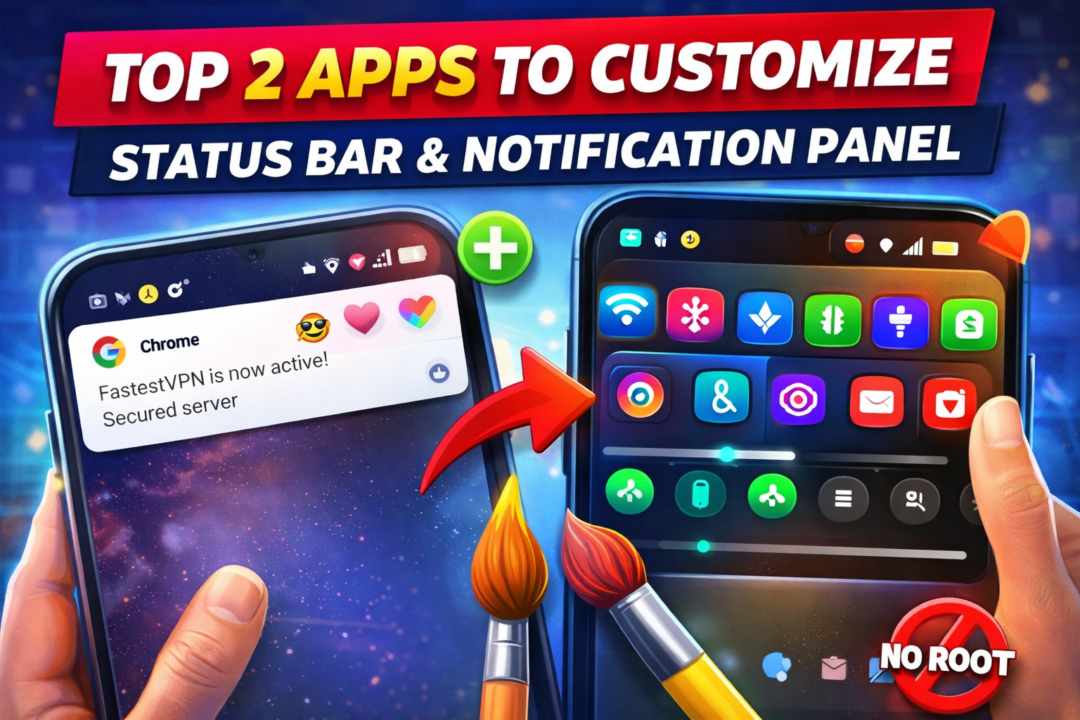
Top 2 Android Apps to Customize Status Bar & Notification Panel
Introduction
Android phones are known for their flexibility and customization options. Unlike iOS, Android allows users to modify almost every part of the user interface, including the status bar and notification panel. Many users want to personalize their phones by adding PNG images, custom icons, or unique notification styles to stand out from the crowd.
In this article, we will discuss two powerful Android apps that allow you to:
- Add PNG images and custom icons to the status bar / notification bar
- Completely change the notification panel, including Wi-Fi, Bluetooth, battery, and mobile data icons
These apps are popular among Android customization lovers and work without advanced technical knowledge.
App 1: Status Bar PNG Image & Icon Customizer App
What This App Does
This type of app allows users to add custom PNG images, symbols, emojis, or small icons directly to the status bar or notification area of their Android phone. These images appear near the clock, battery, or notification icons, giving your phone a unique look.
Some apps use overlay or notification-based techniques to show images without breaking system functionality.
Key Features
- Add PNG images (transparent background supported)
- Custom icons near clock, battery, or signal area
- Supports emojis, logos, symbols, and custom designs
- Adjustable position, size, and opacity
- Works with notifications or overlays
- No root required (root gives extra features in some phones)
How It Works
The app uses Android’s notification and overlay system. When enabled:
- A persistent notification is created
- PNG images are rendered as part of the notification UI
- The image visually appears like it is part of the status bar
This method is safe and widely used in modern Android customization apps.
Supported Image Formats
- PNG (recommended)
- JPG
- WebP (in some versions)
PNG images work best because of transparent backgrounds, which blend smoothly with the status bar.
Device Compatibility
- Android 8.0 (Oreo) and above
- Works best on stock Android, Samsung One UI, MIUI, OxygenOS
- Some restrictions may apply on heavily locked ROMs
Use Cases
- Show gaming clan logo on status bar
- Add brand logo for screenshots or videos
- Display emoji icons for fun
- Create a fake premium phone look
- Content creators use it for reels & shorts
Pros
✅ Easy to use
✅ No root required
✅ Lightweight
✅ Supports transparent PNG
✅ Perfect for customization lovers
Cons
❌ Ads in free version
❌ Limited positioning on some devices
❌ Android updates may restrict overlays
App 2: Notification Panel & Quick Settings Customizer App
What This App Does
This app allows you to change the entire notification panel, including:
- Wi-Fi icon
- Bluetooth icon
- Mobile data icon
- Battery style
- Notification shade layout
- Background color and transparency
In simple words, it can completely redesign your notification bar and quick settings panel.
Key Features
- Custom Wi-Fi, Bluetooth, Mobile Data icons
- Change Quick Settings tile design
- Apply iOS-style or custom themes
- Modify background blur and color
- Custom clock and battery styles
- Gesture support (swipe, tap, hold)
- Works without root (root adds more control)
How It Works
Instead of modifying system files, the app:
- Creates a custom notification panel overlay
- Replaces the default swipe-down panel with a custom UI
- Uses accessibility permissions to function properly
This makes it safe and reversible.
Customization Options
- Icon packs (minimal, iOS, neon, gaming)
- Grid size control
- Brightness slider design
- Network speed indicator
- Notification grouping
- Animation effects
Supported Android Versions
- Android 7.0 and above
- Best performance on Android 10+
- Compatible with most brands:
- Samsung
- Xiaomi
- Realme
- Vivo
- Oppo
- OnePlus
Use Cases
- Make Android look like iOS
- Create gaming-style UI
- Minimalist notification panel
- Improve one-hand usability
- Professional UI for screenshots & videos
Pros
✅ Full UI transformation
✅ Icon customization
✅ No root required
✅ Smooth animations
✅ Multiple themes
Cons
❌ Needs accessibility permission
❌ Battery usage slightly higher
❌ Some apps may conflict
Comparison Table
| Feature | PNG Status Bar App | Notification Panel Customizer |
|---|---|---|
| PNG Images | ✅ Yes | ❌ No |
| Change Wi-Fi Icon | ❌ No | ✅ Yes |
| Notification Panel UI | ❌ No | ✅ Yes |
| Root Required | ❌ No | ❌ No |
| Best For | Icons & logos | Full UI change |
Is Root Required?
No, both apps work without root.
However:
- Rooted phones get deeper control
- Non-root users still get 80–90% features
Root is not recommended for beginners.
Safety & Privacy
- Download only from Google Play Store
- Check app permissions
- Avoid apps asking for unnecessary access
- Use overlays carefully to avoid UI confusion
Best Tips for Users
- Use small PNG images (24px–32px)
- Keep transparency high
- Avoid cluttering the status bar
- Restart phone after major UI changes
- Disable battery optimization for smooth working
Top 2 Download App
Conclusion
Android customization apps allow users to turn a normal phone into a unique, personalized device. Whether you want to add PNG images to the status bar or completely redesign the notification panel, these two types of apps offer powerful features without requiring root access.
If you love personalization, content creation, or simply want your phone to look different from others, these apps are definitely worth trying.


 Help
Help