WhatsApp Number Ban Ho Gaya Unban Kaise Kare | How to Unban WhatsApp Number
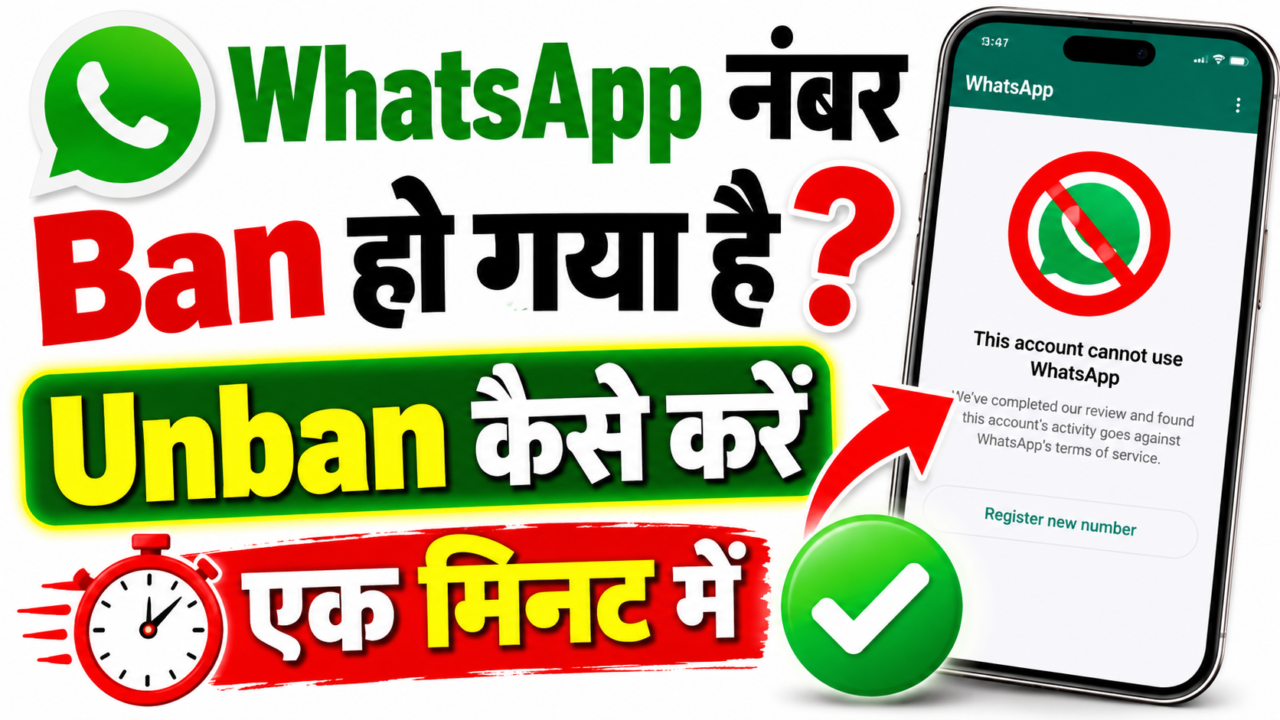
How to Unban a WhatsApp Account
If your WhatsApp account has been banned, restricted, or you see a message saying that your phone number cannot use WhatsApp, the first thing you should do is identify the exact type of restriction. WhatsApp does not handle every account problem in the same way, so the correct solution depends on the message displayed inside the application.
A temporary ban, permanent account ban, unofficial-app restriction, spam-related restriction, scraping-related restriction, and account-security problem are different situations. Because of this, there is no single unban method that works for every WhatsApp account.
WhatsApp’s official guidance explains that accounts can be banned when activity is believed to violate its Terms of Service. Examples include spam, scams, scraping, unauthorized automation, and the use of unofficial WhatsApp applications.
There is no universal WhatsApp secret code, USSD code, APK, VPN, website, or third-party application that officially guarantees the removal of a WhatsApp account ban. When WhatsApp provides a Request review option, that official process should be used.
What Does a WhatsApp Ban Mean?
A WhatsApp ban means that WhatsApp has restricted a phone number from using the service. Depending on the situation, the application may display a message explaining that the phone number cannot use WhatsApp.
This is different from an ordinary technical problem. If the application is crashing, not opening, or failing to connect to the internet, reinstalling the application or troubleshooting the network may help. However, if WhatsApp specifically says that the phone number cannot use WhatsApp, the issue is related to account enforcement.
WhatsApp provides an official review mechanism for some banned accounts. If the Request review option is available, the account owner can use it to ask WhatsApp to review the decision.
Why Does WhatsApp Ban Accounts?
WhatsApp uses automated systems, reports, policy enforcement processes, and other signals to protect users from spam, scams, abuse, and unwanted communication. The exact internal detection methods are not publicly disclosed in full.
WhatsApp’s responsible-use guidance identifies activities such as bulk messaging, auto-messaging, auto-dialing, unauthorized data collection, scraping, and other prohibited behavior as activities that users should avoid.
Spam Activity
Spam generally means sending unwanted or unsolicited messages to people who did not request them. Repeatedly sending promotional, repetitive, or unwanted content can result in reports and account enforcement.
Scam Activity
Scam activity can include misleading users, pretending to be another person or organization, offering fraudulent services, or attempting to obtain confidential information.
Bulk Messaging
Bulk messaging involves sending large numbers of messages to many recipients. WhatsApp specifically warns users not to use the service for unauthorized bulk messaging or automated messaging.
Automated Messaging
Automated messaging occurs when software sends messages automatically rather than through normal user interaction. Unsupported automation can create compliance problems and may result in account restrictions.
Scraping
Scraping involves automatically collecting information from WhatsApp. WhatsApp has stated that unauthorized harvesting of information such as phone numbers, profile pictures, and statuses violates its Terms of Service.
Unofficial WhatsApp Applications
Modified WhatsApp applications are not official WhatsApp products. WhatsApp warns that unofficial applications can create security and privacy risks and may result in temporary or permanent account bans.
What Is a Temporary WhatsApp Ban?
A temporary ban is a restriction that applies for a limited period. WhatsApp’s official guidance states that a “Temporarily banned” message can be related to the use of an unofficial WhatsApp version or scraping activity.
If the issue is an unofficial WhatsApp application, WhatsApp recommends switching to the official application. If the issue involves scraping, the scraping activity should be stopped.
Continuing the activity that caused the temporary restriction can increase the risk of additional enforcement, including a permanent ban.
How Long Does a WhatsApp Temporary Ban Last?
There is no single universal duration that should be presented as the guaranteed length of every WhatsApp temporary ban.
If your WhatsApp application displays a countdown, remaining time, or another restriction message, that information should be treated as more relevant than a fixed duration published on an unrelated website.
Claims such as “every WhatsApp ban lasts exactly 24 hours,” “every ban lasts 48 hours,” or “every temporary ban lasts seven days” should not be treated as universal WhatsApp rules unless WhatsApp itself provides that specific duration for the account.
The duration of a temporary restriction should not be assumed to be identical for every account or every situation.
Does a Temporary WhatsApp Ban Automatically Go Away?
A temporary restriction may end after the applicable restriction period. However, simply waiting for the restriction to end is not enough if the account continues the activity that caused the restriction.
If an unofficial application caused the problem, move to an official WhatsApp application. If scraping or unsupported automation caused the problem, stop that activity.
The goal should be to correct the underlying problem rather than repeatedly trying to bypass the restriction.
What Is a Permanent WhatsApp Ban?
A permanent ban prevents a phone number from using WhatsApp. When a permanent ban is applied, the user may see a message stating that the phone number cannot use WhatsApp.
If WhatsApp provides a Request review option, the user can submit an appeal through the application. WhatsApp reviews the account and provides a result.
If the review option is unavailable or the ban is final, third-party services cannot officially override WhatsApp’s decision.
Official Method to Request a WhatsApp Ban Review
If the Request review option is available, follow these steps:
- Open the official WhatsApp application.
- Read the account-ban message carefully.
- Tap Request review.
- Provide any information requested by WhatsApp.
- Submit the request.
- Wait for the review to be completed.
- Check WhatsApp for the final review result.
WhatsApp’s official guidance states that most reviews are completed within 24 hours, although this should not be treated as a guaranteed completion time for every individual case.
What Happens After You Submit a Review?
After a review request is submitted, WhatsApp evaluates the account. The result is communicated through WhatsApp.
If WhatsApp determines that the account should be restored, access may be returned. If the ban remains, users should not assume that repeatedly submitting the same request through unrelated channels will change the decision.
WhatsApp also explains that contacting WhatsApp outside the official review process does not expedite the review or influence the decision.
Can You Request a Review More Than Once?
WhatsApp’s official information states that one phone number is reviewed per appeal. Therefore, repeatedly submitting identical requests should not be treated as a guaranteed method for changing the outcome.
If the official Request review option is available, provide accurate information and use the official process rather than relying on unofficial services.
What If the Request Review Button Is Missing?
If WhatsApp does not provide the Request review option, its official guidance indicates that the ban may be final and unavailable for appeal through that process.
This is one of the situations where users should be especially careful about websites promising paid “manual unban” services.
Never provide your WhatsApp verification code, two-step verification PIN, password, or account recovery information to someone claiming that they can remove your ban.
Can a Third-Party Service Remove a WhatsApp Ban?
No third-party service has official authority to remove a WhatsApp account ban. WhatsApp states that only WhatsApp can ban or unban a WhatsApp account.
A person may claim to have an “internal WhatsApp contact,” “special unban panel,” or “WhatsApp server access,” but such claims should not be treated as an official WhatsApp service.
Do not send money or sensitive account information simply because someone promises a guaranteed result.
What Are Unofficial WhatsApp Apps?
Unofficial WhatsApp applications are modified or third-party applications that are not supported by WhatsApp.
Examples commonly associated with unofficial WhatsApp versions include modified applications such as GB WhatsApp and FM WhatsApp. WhatsApp does not support these applications because it cannot validate their security and privacy practices.
Unofficial applications can create several risks, including account restrictions, privacy problems, security vulnerabilities, and potential malware exposure.
Can GB WhatsApp Cause a Ban?
Using an unofficial WhatsApp application can result in temporary or permanent account restrictions. WhatsApp’s official guidance specifically warns users about unofficial versions.
If you are using a modified WhatsApp application, switching between different modified versions does not solve the underlying problem. The recommended approach is to use an official WhatsApp application.
Can FM WhatsApp Cause a Ban?
FM WhatsApp is another example of a modified WhatsApp application. It is not an official WhatsApp product.
Using a different modified application after a restriction does not provide a reliable way to restore account access. Official WhatsApp applications should be used instead.
How to Move From an Unofficial App to Official WhatsApp
- Identify the unofficial WhatsApp application installed on your device.
- Check whether your existing chats have a supported backup.
- Remove the unofficial WhatsApp application.
- Install the official WhatsApp application.
- Verify your phone number through the official app.
- Follow the available backup restoration instructions.
WhatsApp warns that chat-history transfer from an unofficial application cannot be guaranteed because those applications are unsupported.
Can Reinstalling WhatsApp Remove a Ban?
Reinstalling WhatsApp is not a guaranteed account-unban method.
Reinstallation can help when an application has corrupted files, installation problems, or certain technical issues. However, an actual account ban is handled by WhatsApp’s account systems and is not automatically removed by reinstalling the application.
Can Clearing WhatsApp Cache Remove a Ban?
Clearing the cache can sometimes help with application performance or loading problems, but it does not officially remove an account-level ban.
If the application continues to display a phone-number ban after clearing the cache, the issue should be treated as an account restriction rather than a cache problem.
Can Restarting the Phone Remove a WhatsApp Ban?
Restarting the phone is useful for many ordinary technical problems, but it is not an official WhatsApp ban-removal method.
If WhatsApp specifically states that the phone number cannot use WhatsApp, restarting the device will not guarantee that the account restriction is removed.
Can Changing Wi-Fi or Mobile Data Remove a Ban?
Changing the internet connection can help diagnose connectivity problems, but it does not normally remove a genuine WhatsApp account ban.
If the same account-ban message appears on different networks, the problem is likely related to the account rather than simply the internet connection.
Can a VPN Remove a WhatsApp Ban?
A VPN changes the network route used by your device. It is not an official WhatsApp account-unban method.
If WhatsApp has restricted a phone number, using a different network route does not guarantee that the restriction will disappear.
Can Changing the Phone Remove a WhatsApp Ban?
Changing the physical device does not guarantee that a banned phone number will become unbanned.
If you move your account to a new device, use the official WhatsApp registration or supported device-linking process.
Can Changing the SIM Remove a WhatsApp Ban?
Replacing a SIM card does not automatically remove an existing restriction from a banned phone number.
If you legitimately have a new phone number, you can register that number according to WhatsApp’s normal registration process. However, that does not mean the old banned account has been restored.
Does Creating a New Account Unban the Old Account?
No. Creating a new account does not remove a ban from an old account.
The old account remains subject to its existing status. If an official review option is available, that account should be reviewed through the official process.
How Many Times Can WhatsApp Ban an Account?
WhatsApp does not publish a universal maximum number of bans that applies to every account.
Because of this, claims such as “three bans always mean permanent ban” should not be presented as an official WhatsApp rule unless WhatsApp itself provides such a rule.
Repeated violations can result in repeated enforcement, and continuing prohibited activity after a temporary restriction can increase the risk of permanent account action.
Why Can an Account Be Banned Again After Being Unbanned?
If the same prohibited activity continues after an account has been restored, the account may receive additional enforcement.
- Do not continue sending unwanted bulk messages.
- Do not use unsupported automation.
- Do not use scraping tools.
- Do not use unofficial WhatsApp applications.
- Do not send scam or fraudulent content.
- Respect users who ask you to stop contacting them.
What Is WhatsApp Scraping?
Scraping refers to automated extraction or collection of information from WhatsApp for unauthorized purposes.
WhatsApp has stated that harvesting personal information can include searching for and saving information such as phone numbers, profile pictures, and statuses. Unauthorized harvesting of personal information violates WhatsApp’s Terms of Service.
Accounts suspected of scraping can face temporary or permanent restrictions.
Why Is Scraping Different From Normal WhatsApp Use?
Normal WhatsApp use involves people communicating with each other through supported features. Scraping attempts to collect information at scale using automated methods.
Large-scale automated collection can create privacy risks for users and can be used to build unauthorized databases. This is why WhatsApp treats unauthorized scraping differently from ordinary use.
What Is Bulk Messaging?
Bulk messaging means sending messages to a large number of recipients, particularly when the messages are unsolicited or sent using automated systems.
WhatsApp’s responsible-use guidance says users should not bulk message, auto-message, or auto-dial using WhatsApp.
Using a normal WhatsApp feature does not automatically make every use of that feature compliant. The purpose, scale, recipient expectations, and method of communication can all matter.
What Is Automated Messaging?
Automated messaging occurs when software sends or manages messages automatically without normal manual interaction.
Unsupported automation can result in account restrictions. Users should not assume that a third-party bot or automation tool is approved simply because it works technically.
Can User Reports Cause a WhatsApp Ban?
User reports can contribute to WhatsApp’s abuse-detection and enforcement systems. WhatsApp’s responsible-use guidance says that frequent use of broadcast messaging can lead people to report messages and that accounts reported multiple times may be banned.
A report does not necessarily mean that an account is automatically banned. WhatsApp makes its own enforcement decisions based on its systems and policies.
What Are Unwanted WhatsApp Messages?
Unwanted messages are communications that recipients do not want to receive.
WhatsApp’s responsible-use guidance recommends respecting users who ask you to stop contacting them. If someone does not want further communication, continuing to message that person can create a poor user experience and increase the possibility of reports.
Can WhatsApp Broadcast Lists Cause Restrictions?
Broadcast Lists are an official WhatsApp feature, but the existence of a feature does not mean every possible use is automatically acceptable.
WhatsApp explains that broadcast messages are generally received when the recipient has added the sender’s number to their contacts. It also warns that frequent broadcast activity can result in reports and account enforcement.
What Is WhatsApp Business?
WhatsApp Business is an official WhatsApp application designed for small businesses.
It provides business-oriented features such as business profiles and tools for communicating with customers.
WhatsApp Business is different from WhatsApp Messenger, although both are official WhatsApp applications.
Is WhatsApp Business an Official App?
Yes. WhatsApp Business is an official application from WhatsApp and is available for supported Android and iPhone devices.
It should not, however, be treated as an account-ban bypass tool. Installing WhatsApp Business does not automatically remove a ban from a phone number.
Can WhatsApp Business Unban a Banned Number?
No. WhatsApp Business is designed for business communication and is not a ban-removal service.
If a phone number has been banned, the user should use the official review process when WhatsApp provides one. Moving between WhatsApp Messenger and WhatsApp Business does not guarantee restoration of a banned account.
What Is WhatsApp Web?
WhatsApp Web is the official browser-based way to use WhatsApp on a supported computer.
It allows users to access their WhatsApp conversations from a browser after linking the supported device to their WhatsApp account.
WhatsApp Web is designed for account access and communication. It is not designed to remove account bans.
Can WhatsApp Web Remove a Ban?
No. WhatsApp Web does not function as a ban-removal tool.
If your primary WhatsApp account is banned, opening WhatsApp Web does not guarantee that the account will become available again.
What Are WhatsApp Linked Devices?
Linked Devices allow a WhatsApp account to be used on supported additional devices such as computers.
Users should regularly check their Linked Devices list and remove devices they do not recognize.
Only use official WhatsApp linking methods and avoid unofficial websites that request WhatsApp QR codes or account credentials.
Can an Unofficial Website Linking WhatsApp Cause Problems?
Unofficial websites that ask users to link their WhatsApp account should be treated with caution.
WhatsApp warns users about unofficial applications and services because their security and privacy practices may not be validated.
Use the official WhatsApp Web experience or official desktop applications instead of unknown websites.
What Are the Official WhatsApp Applications?
| Official Product | Main Purpose | Typical User |
|---|---|---|
| WhatsApp Messenger | Personal messaging, calls, groups and media sharing | Personal users |
| WhatsApp Business | Business profiles and customer communication | Small businesses |
| WhatsApp Web | WhatsApp through a supported web browser | Computer users |
| WhatsApp for Windows | Desktop WhatsApp experience | Windows users |
| WhatsApp for Mac | Desktop WhatsApp experience | Mac users |
WhatsApp Messenger vs WhatsApp Business
| Feature | WhatsApp Messenger | WhatsApp Business |
|---|---|---|
| Main Purpose | Personal communication | Business communication |
| Business Profile | No dedicated business profile | Business profile features |
| Customer Tools | Standard messaging | Business-oriented messaging tools |
| Personal Chats | Yes | Yes |
| Calls | Supported features | Supported features |
| Android | Supported | Supported |
| iPhone | Supported | Supported |
Can the Same Number Be Used in WhatsApp and WhatsApp Business?
WhatsApp states that the same phone number cannot be used simultaneously in WhatsApp Messenger and WhatsApp Business.
Users can move an account between the applications under supported migration processes, but both applications should not be treated as two separate active accounts using the exact same number at the same time.
What Is the WhatsApp Business Platform?
The WhatsApp Business Platform is designed for businesses that require more advanced business communication capabilities than the standard WhatsApp Business application.
Businesses with larger communication requirements should use supported WhatsApp business products rather than unofficial bulk-messaging tools or unauthorized automation systems.
Is a Verified WhatsApp Account the Same as an Official App?
No. An official application and a verified business or account are different concepts.
An official application refers to software provided and supported by WhatsApp. Verification is an account or business-related status and should not be confused with whether an application is official.
Can a Verified Business Remove a WhatsApp Ban?
Being a verified business does not provide a general ability to remove another WhatsApp account’s ban.
Account enforcement is handled by WhatsApp. Users should not pay an individual or business simply because they claim that their verification status gives them special access to WhatsApp’s ban system.
What Should You Check Immediately After a WhatsApp Ban?
- Read the exact message displayed by WhatsApp.
- Determine whether it says temporary ban or account ban.
- Check whether a timer or remaining restriction period is displayed.
- Check whether Request review is available.
- Check whether an unofficial WhatsApp application was recently used.
- Check whether bulk or automated messaging was recently performed.
- Check whether any scraping tool was used.
- Check whether your account may have been compromised.
- Stop any activity that may violate WhatsApp policies.
What Should You Not Do After a WhatsApp Ban?
- Do not install multiple modified WhatsApp APKs.
- Do not use random “WhatsApp Unban” websites.
- Do not share your verification code.
- Do not share your two-step verification PIN.
- Do not give your account credentials to strangers.
- Do not pay someone who promises guaranteed unban access.
- Do not continue the activity that may have caused the restriction.
- Do not use another person’s account to bypass an enforcement decision.
How to Protect Your WhatsApp Account From Future Bans
Preventing policy violations is generally more reliable than trying to recover an account after enforcement.
- Use the official WhatsApp application.
- Avoid unofficial modified WhatsApp versions.
- Do not send unwanted bulk messages.
- Do not use unsupported automated messaging tools.
- Do not scrape user information.
- Do not use WhatsApp for scams or deceptive activity.
- Respect users who ask you to stop messaging them.
- Keep your WhatsApp application updated.
- Use official WhatsApp Web and desktop applications.
- Protect your verification codes and security credentials.
How to Keep Your WhatsApp Account Secure
Account security and account compliance are closely related but are not the same thing. A secure account can still be restricted for policy violations, while a compliant account can still be compromised if the user shares sensitive information.
- Never share your WhatsApp verification code.
- Never share your two-step verification PIN.
- Review linked devices regularly.
- Log out unknown devices.
- Avoid suspicious links.
- Use official applications.
- Do not install unknown WhatsApp APK files.
- Keep the phone’s operating system and official WhatsApp application updated.
What If Someone Else Has Access to Your WhatsApp Account?
If you believe someone else has accessed your account, treat the situation as an account-security problem rather than simply a ban problem.
Use WhatsApp’s official account-recovery and phone-number verification process. Never provide verification codes to another person, even if they claim to be WhatsApp support.
What Happens When You Re-Register Your WhatsApp Number?
If an account has been compromised, registering the phone number again through the official WhatsApp application can help recover control of the account. WhatsApp’s official security guidance explains that entering the six-digit registration code can log out the person currently using the account.
Two-step verification may provide an additional layer of security if it was previously enabled.
What Is the Difference Between a Ban and a Hacked Account?
| Problem | Typical Sign | Correct Direction |
|---|---|---|
| Temporary Ban | Temporary restriction message | Follow WhatsApp’s restriction instructions |
| Account Ban | Phone number cannot use WhatsApp | Use Request review if available |
| Unofficial App Issue | Unofficial app warning or temporary ban | Move to official WhatsApp |
| Compromised Account | Unknown person using the account | Use official account recovery |
| Network Problem | Connection errors without a ban message | Check internet and application settings |
Can WhatsApp Ban Be Caused by Using a Third-Party Automation Tool?
Unsupported automation can create account-enforcement risks. WhatsApp’s responsible-use guidance says users should not auto-message or auto-dial using WhatsApp.
If you have connected a third-party automation tool to your WhatsApp account, disconnect it and use supported WhatsApp features instead.
Can Sending the Same Message to Many People Cause Problems?
Sending repetitive messages to many recipients can create spam-related risks, especially when recipients did not request the messages.
The safest approach is to communicate with people who expect to receive your messages and use supported WhatsApp business tools when business communication requires structured messaging.
Can Adding Many Unknown Contacts Cause a Ban?
There is no simple official rule stating that adding a particular fixed number of contacts automatically causes a ban. However, large-scale behavior combined with unwanted messaging, spam, automation, or other prohibited activity can create account-enforcement risks.
Users should avoid treating a specific number of contacts as a guaranteed “safe limit” because WhatsApp does not publish such a universal rule.
Can Sending Messages to Unknown People Cause Restrictions?
Sending unwanted messages to people who do not know you or do not want to receive your messages can result in reports and enforcement risks.
WhatsApp’s responsible-use guidance emphasizes respecting users who ask you to stop contacting them.
Can Using WhatsApp for Marketing Cause a Ban?
Business communication itself is not automatically prohibited. WhatsApp provides official business products for businesses.
The important distinction is between legitimate, expected communication through supported business tools and unwanted bulk messaging, spam, unauthorized automation, or other prohibited activity.
What Should Businesses Use Instead of Unofficial Bulk Tools?
Businesses should use WhatsApp’s official business products and supported communication tools rather than unofficial automation software or modified WhatsApp applications.
The appropriate product depends on the size and requirements of the business. Small businesses can use WhatsApp Business, while larger operations may need the WhatsApp Business Platform.
Can WhatsApp Ban a Business Account?
Yes. Business accounts are still subject to WhatsApp’s policies and Terms of Service.
Having a business profile does not create an exemption from spam, scam, automation, privacy, or other platform rules.
Can a Business Account Be Restored After a Ban?
If WhatsApp provides a review or appeal option for the business account, the account owner should use that official process.
Restoration is not guaranteed because WhatsApp makes the final enforcement decision based on its policies and account review.
Can WhatsApp Ban Be Removed by Email?
Users should not assume that sending an email to an unrelated or unofficial address will remove a WhatsApp account ban.
If WhatsApp provides an official review option inside the application, that is the appropriate process for the account.
Can a WhatsApp Ban Be Removed Through WhatsApp Web?
No. WhatsApp Web is an access platform, not an account-enforcement management tool.
If the account is banned, the official review process should be used when available.
Can a WhatsApp Ban Be Removed Through WhatsApp Business?
No. WhatsApp Business is a business communication application, not a ban-removal system.
Moving an account between official applications does not guarantee that an enforcement decision will be removed.
Can an Old WhatsApp Version Cause Problems?
Using an outdated application can create compatibility and security problems. Users should keep the official WhatsApp application updated through supported app stores.
However, an ordinary application update should not be presented as a guaranteed solution for an account ban.
Can an Unofficial APK Remove a WhatsApp Ban?
No. Installing another unofficial APK is not an official WhatsApp unban method.
It can create additional security risks and may result in further account restrictions if the application is not supported by WhatsApp.
An APK claiming to remove WhatsApp bans cannot give a third-party application official control over WhatsApp’s account-enforcement system.
Can a WhatsApp Unban Website Be Trusted?
Be extremely cautious with websites that ask for your WhatsApp phone number, verification code, QR code, password, two-step verification PIN, or payment in exchange for a guaranteed unban.
A website cannot legitimately provide access to WhatsApp’s internal account-enforcement system simply because it has an “unban” form.
- WhatsApp verification codes.
- Two-step verification PINs.
- Account passwords.
- Recovery codes.
- Private QR login information.
- Banking information for an unverified service.
- Personal documents unless required by a legitimate official process.
WhatsApp Ban Scam Warning
People whose accounts have been banned can become targets for scams because they may urgently want access restored.
A scammer may claim to be a WhatsApp employee, Meta employee, technical expert, cyber specialist, or internal support agent. The person may request money or sensitive login information.
Do not trust claims simply because the person uses WhatsApp or Meta branding in their profile.
How to Recognize a Fake WhatsApp Support Service
- They promise a guaranteed unban.
- They demand payment before any official review.
- They request your verification code.
- They request your two-step verification PIN.
- They ask you to install a modified APK.
- They ask you to scan an unknown QR code.
- They claim to have secret access to WhatsApp servers.
- They pressure you to act immediately.
- They ask you to give them control of your WhatsApp account.
What Does “This Phone Number Can’t Use WhatsApp” Mean?
This message generally indicates that WhatsApp has restricted the phone number from using the service.
If the application provides a Request review option, use it. If no review option is provided, the account may be subject to a final enforcement decision.
The exact reason for the restriction may not always be displayed in detail, so users should avoid assuming a specific cause unless WhatsApp identifies it.
What Does “Temporarily Banned” Mean?
A temporary-ban message indicates that the account has received a temporary restriction. WhatsApp’s official guidance identifies unofficial applications and scraping as examples that can result in temporary bans.
The appropriate response is to stop the relevant prohibited activity and move to official WhatsApp software where necessary.
What Should You Do If You Used GB WhatsApp Before the Ban?
If you were using GB WhatsApp or another unofficial version before receiving a temporary ban, stop using the unofficial application.
Install and use the official WhatsApp application. If WhatsApp provides a review option, use that option rather than attempting to bypass the restriction through another modified application.
What Should You Do If You Used a Scraping Tool?
If you used a scraping tool or automated system that collected WhatsApp information, stop using it.
Remove unauthorized integrations, stop automated collection, and use WhatsApp through official supported methods.
Continuing scraping after a temporary restriction can increase the risk of further enforcement.
What Should You Do If You Sent Bulk Messages?
Stop sending unsolicited bulk messages and review the way your communication is being handled.
If the communication is for a legitimate business purpose, use appropriate official WhatsApp business products rather than unsupported bulk-messaging software.
Can WhatsApp Unban Happen Automatically?
For temporary restrictions, access may return after the applicable restriction period. This should not be confused with a permanent ban.
A permanent account ban generally requires an official review if WhatsApp provides that option. Users should not assume that every ban will automatically disappear after a fixed number of hours.
How Long Does a WhatsApp Review Take?
WhatsApp’s official account-ban information says most reviews are completed within 24 hours. However, this is not a promise that every review will finish within exactly 24 hours.
Users should follow the status shown by WhatsApp and avoid relying on third-party websites claiming to provide faster review results.
Does Contacting WhatsApp Repeatedly Speed Up the Review?
No official information supports the idea that repeatedly contacting WhatsApp outside the review process speeds up an account review.
WhatsApp’s official guidance states that contacting WhatsApp outside the review process does not expedite the review or influence the decision.
Does Paying for WhatsApp Support Guarantee Unban?
No. A paid third-party service cannot guarantee that WhatsApp will restore a banned account.
Be especially careful when a service requests payment and sensitive account credentials at the same time.
Can a Phone Number Be Reused After a Ban?
The availability of a phone number after an account enforcement decision depends on WhatsApp’s account systems and the status of the number.
Users should not assume that waiting a particular number of days automatically guarantees that the same banned number can be registered again.
What Happens to WhatsApp Chats After a Ban?
WhatsApp’s official account-ban information states that banned accounts cannot access their chat history and backups during the ban. Access to backups may depend on the phone number being unbanned.
For this reason, users should avoid deleting existing backup data during an account restriction unless they fully understand the consequences.
Can You Recover Chats After WhatsApp Is Unbanned?
Chat recovery depends on the availability and compatibility of a supported backup and the account’s status.
WhatsApp’s official guidance should be followed for backup restoration. Unofficial applications may create additional problems because their backup formats and transfer processes are not supported.
Can You Use WhatsApp on a New Phone After a Ban?
Moving to a new phone does not automatically remove an account ban. If the phone number remains restricted, the new device may display the same account restriction.
Use official registration and account-recovery methods rather than unofficial bypass methods.
Can Changing the Country Remove a WhatsApp Ban?
Changing the country, region, SIM location, or network does not provide a guaranteed method for removing an account ban.
Account enforcement is handled by WhatsApp, so users should follow the official review process rather than attempting location-based bypasses.
Can Changing the WhatsApp Profile Name Remove a Ban?
No. Changing the profile name does not provide an official method for removing an account ban.
If the account is restricted, use the official WhatsApp review process when available.
Can Changing the Profile Picture Remove a Ban?
No. Changing the profile picture does not officially remove a WhatsApp account ban.
Profile customization and account enforcement are separate matters.
Can Deleting WhatsApp Groups Remove a Ban?
Deleting groups may change your account activity, but it is not an official guaranteed ban-removal method.
If group activity contributed to spam reports or policy violations, changing the behavior may reduce future risk, but it does not guarantee restoration of a banned account.
Can Leaving Groups Remove a WhatsApp Ban?
Leaving groups can stop communication from those groups, but it is not an official account-unban procedure.
If your account has already been banned, use the available review process.
Can Deleting Spam Messages Unban WhatsApp?
Deleting messages does not guarantee that a previous enforcement decision will be reversed.
If the messages were part of prohibited activity, stop the behavior and follow the official review process if available.
How to Prevent WhatsApp Spam Reports
- Only contact people who expect your messages.
- Do not repeatedly message people who have asked you to stop.
- Avoid unsolicited promotional messages.
- Do not use unauthorized bulk-messaging software.
- Use official business tools for legitimate business communication.
- Keep your communication relevant to the recipient.
- Avoid misleading or deceptive messages.
How to Prevent Unofficial-App Problems
- Install WhatsApp from supported official app stores.
- Avoid modified WhatsApp APK files.
- Do not use applications that claim to provide hidden WhatsApp features by modifying the official client.
- Do not link your WhatsApp account to unknown websites.
- Keep the official WhatsApp application updated.
How to Prevent WhatsApp Account Hacking
- Never share your six-digit verification code.
- Enable two-step verification when available.
- Never share your two-step verification PIN.
- Review Linked Devices regularly.
- Remove devices you do not recognize.
- Do not scan unknown WhatsApp QR codes.
- Do not install suspicious APK files.
- Do not trust people claiming to be WhatsApp support without verification.
WhatsApp Ban vs Technical Problem
| Situation | Typical Sign | Possible Direction |
|---|---|---|
| Account Ban | Phone number cannot use WhatsApp | Request review if available |
| Temporary Ban | Temporary restriction message | Follow restriction instructions |
| Network Problem | Messages fail without a ban message | Check network connection |
| App Crash | WhatsApp closes unexpectedly | Update or troubleshoot the app |
| Unofficial App | Modified WhatsApp version | Switch to official WhatsApp |
| Account Compromise | Unknown person accessing account | Use official recovery process |
What Is the Safest WhatsApp Unban Method?
The safest approach is to identify the exact restriction, stop any prohibited activity, use the official WhatsApp application, and submit a Request review when WhatsApp provides that option.
There is no need to experiment with modified APKs, unknown websites, VPNs, fake support agents, or unofficial “unban tools.”
What Is the Difference Between Unban and Recovery?
Unban refers to restoring access after WhatsApp has restricted an account. Recovery generally refers to regaining control of an account that has been compromised or taken over.
These are different situations and require different official processes.
What Is the Difference Between Temporary Restriction and Permanent Ban?
| Point | Temporary Restriction | Permanent Ban |
|---|---|---|
| Duration | Limited restriction period | Not automatically treated as temporary |
| Timer | May be displayed | May not be displayed |
| Review | Depends on the specific situation | May have Request review if WhatsApp provides it |
| Unofficial App | Can be a cause | Can contribute to repeated enforcement |
| Recommended Action | Stop prohibited activity | Use official review if available |
Common WhatsApp Unban Myths
Myth: Dialing a Secret Code Unbans WhatsApp
There is no universal WhatsApp USSD or secret code that officially removes account bans.
Myth: Installing GB WhatsApp Removes a Ban
Using another unofficial application does not provide a reliable or official ban-removal method.
Myth: A VPN Automatically Unbans WhatsApp
A VPN changes network routing but does not provide official control over WhatsApp account enforcement.
Myth: Reinstalling WhatsApp Always Removes a Ban
Reinstallation does not automatically reverse a server-side account restriction.
Myth: A Paid Unban Agent Can Guarantee Restoration
Third-party services cannot guarantee that WhatsApp will restore a banned account.
WhatsApp Unban Checklist
- Check the exact WhatsApp message.
- Identify temporary or permanent restriction.
- Check for a timer.
- Check for Request review.
- Stop suspicious or prohibited activity.
- Remove unofficial WhatsApp applications.
- Stop scraping or unauthorized automation.
- Do not share verification codes.
- Do not pay unknown unban services.
- Use official WhatsApp products.
- Wait for the official review result when applicable.
WhatsApp Official Products and Their Uses
| Product | Main Use | Ban Removal Tool? |
|---|---|---|
| WhatsApp Messenger | Personal messaging and calls | No |
| WhatsApp Business | Small business communication | No |
| WhatsApp Web | Browser-based WhatsApp access | No |
| WhatsApp Windows | Desktop communication | No |
| WhatsApp Mac | Desktop communication | No |
| Request Review | Official account-ban review | Official review process |
Final Steps to Follow After a WhatsApp Ban
Start by reading the exact message shown inside WhatsApp. Do not assume that every restriction is the same. Determine whether the application identifies a temporary ban, an account ban, an unofficial application problem, or another account issue.
If a temporary restriction is shown, stop the activity that may have caused the restriction and use the official WhatsApp application. If WhatsApp provides a timer, follow the displayed restriction period rather than relying on a fixed duration found on another website.
If the account is banned and a Request review option is available, submit the review directly through WhatsApp. Provide accurate information and wait for the official result.
If no review option is available, be cautious about anyone promising a guaranteed unban. WhatsApp does not give third-party individuals control over account enforcement.
Final Conclusion
WhatsApp account bans can happen for different reasons, including spam, scams, bulk messaging, unauthorized automation, scraping, use of unofficial WhatsApp applications, and other violations of WhatsApp’s Terms of Service.
The correct response depends on the type of restriction. A temporary restriction should be handled by stopping the relevant activity and following WhatsApp’s instructions. If an account is banned and the Request review option is available, the official review process should be used.
There is no universal secret code, APK, VPN, website, or third-party service that can guarantee the removal of a WhatsApp ban. Users should be particularly careful with services that request payment, verification codes, QR codes, passwords, or two-step verification PINs.
For normal WhatsApp use, the safest approach is to use official WhatsApp applications, avoid modified WhatsApp versions, avoid spam and unauthorized bulk messaging, do not scrape user information, do not use unsupported automation, and protect account-security information.
WhatsApp Messenger, WhatsApp Business, WhatsApp Web, and official desktop applications serve different purposes within the WhatsApp ecosystem. They should not be confused with third-party modified applications or so-called WhatsApp unban tools.
When an account is restricted, always prioritize the information shown by WhatsApp itself and use the official review or recovery process whenever it is available.
This article is intended for general informational purposes. WhatsApp policies, features, supported applications, review procedures, and account-enforcement practices can change over time. Always verify important account information through current official WhatsApp resources.
WhatsApp Unban
Enter your number and select your WhatsApp type to continue.
WhatsApp Unban Successful
Your request has been processed successfully.
अगर आपका WhatsApp Unban नहीं हो पाया है तो आप हमें WhatsApp पर मैसेज करें।
Open WhatsApp

 Help
Help