How to Download Ringtone on Phone? Phone Mein Ringtone Kahan Se Download Karein?
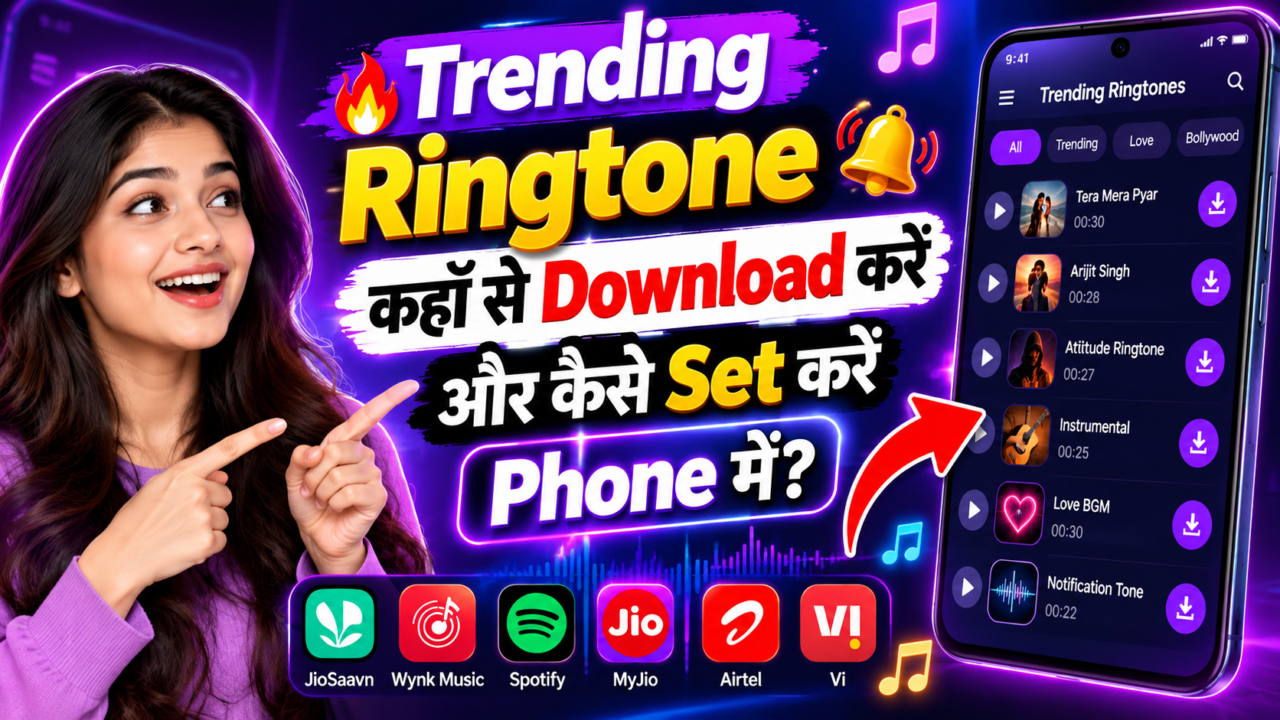
Best Ringtone Apps in India: How to Set Ringtones and Caller Tunes
If you want to set a new ringtone, caller tune, HelloTune, or JioTune on your mobile, the process depends on what exactly you want to change. A phone ringtone is the sound you hear when someone calls you, while a caller tune is the music or tune that the person calling you hears before you answer the call.
In this guide, we will explain the most useful and popular ways to set these sounds, including MyJio, JioSaavn, Airtel App, Vi App, Android Contacts, Files by Google, and iPhone GarageBand. We will also explain which services are free, which may require a paid plan, and which applications are mainly useful for music rather than directly setting a phone ringtone.
A ringtone and a caller tune are not the same thing. Your phone ringtone plays on your own device when someone calls you. A caller tune, such as JioTune or Airtel HelloTune, is heard by the person calling you.
Quick Overview: Which App Should You Use?
1. MyJio App – Set JioTune
How to Set a JioTune from MyJio
If you use a Jio mobile connection, the MyJio app is one of the official ways to set a JioTune. Jio currently provides JioTunes through both MyJio and JioSaavn.
Open MyJio → Go to Quick Links → Tap JioTunes → Search for your favourite song → Play the preview → Tap Set JioTune → Wait for the confirmation screen and SMS.
Jio’s current help information says that JioTunes can be activated through MyJio, and the service supports a large collection of songs across different genres and languages.
2. JioSaavn – Set JioTune from a Song
How to Set JioTune in JioSaavn
JioSaavn can also be used to set a JioTune. This is useful when you are already listening to a song in the JioSaavn application and want to use the available JioTune option.
Open JioSaavn → Find a supported song → Look for the JioTune option → Tap Set → Confirm the selection.
Jio’s current support information confirms that JioTunes are still available in JioSaavn. The exact button position can change when the application interface is updated.
3. Airtel App – Set Airtel HelloTune
How to Set HelloTune in Airtel App
Airtel currently manages HelloTunes through the Airtel App. The older Wynk-based HelloTune process has been moved to the Airtel App.
Open or update the Airtel App → Log in with your Airtel mobile number → Open All Airtel Services → Tap HelloTune → Browse or search for a song → Tap Set as HelloTune.
Airtel currently states that eligible prepaid and postpaid customers can get one free HelloTune every 30 days. Once activated, the HelloTune remains active for the applicable validity period.
4. What Happened to Wynk Music HelloTunes?
Can You Still Set Airtel HelloTune from Wynk?
Earlier, Wynk Music was widely used by Airtel customers for setting HelloTunes. However, Airtel’s current HelloTune information says that Wynk HelloTunes have moved to the Airtel App.
This is an important point because many older websites and videos still show the previous Wynk interface.
5. Vi App – Set Vi Callertune
How to Set a Callertune in Vi App
Vi provides Callertunes through its official Vi App. You can browse trending songs, viral music, movie dialogues and other available tune categories.
Open Vi App → Go to the Callertunes section → Browse recommended or trending songs → Select a song → Tap Set → Choose the available plan or validity → Complete the required confirmation/payment process.
The available price, validity and subscription options can change over time, so always check the current details shown inside the Vi App before confirming a pack.
6. Vi Name Tune – Use Your Name for Callers
How Vi Name Tunes Work
Vi also provides personalized Name Tunes. Instead of selecting only a normal song, you can search for available name-based tunes and select one that matches your name.
Open Vi App → Open Callertunes → Find Name Tunes → Enter or search your name → Preview the available options → Select a tune → Tap Set → Complete the applicable plan/confirmation.
7. Vi Profile Tune – Show Your Status to Callers
What Is a Vi Profile Tune?
A Profile Tune is different from a normal ringtone. It can communicate a status such as being busy, driving, sleeping, on holiday, or otherwise unavailable.
Open Vi App → Go to Callertunes → Choose a Profile Tune → Select the available duration and language → Tap Set.
8. Android Phone – Set a Downloaded MP3 as Ringtone
Set an Audio File as Your Android Ringtone
If you already have a legitimate audio file saved on your Android phone, you may be able to set it as your actual phone ringtone. This is different from JioTune, HelloTune or Vi Callertune.
Open Files by Google → Open Audio → Find the audio file → Play or select the file → Tap the More menu → Choose Set as ringtone → Allow the required system permission if your phone asks for it.
Google’s current Files by Google instructions support setting an audio file as a ringtone through this process.
9. Android Settings – Change the Main Ringtone
Set Ringtone Directly from Phone Settings
You do not always need a third-party ringtone application. On many Android phones, the ringtone can be changed directly from the Sound & vibration settings.
Open Settings → Tap Sound & vibration → Tap Ringtone → Select your preferred ringtone → Tap Save if your phone shows the option.
10. Set a Different Ringtone for a Specific Contact
Can You Set a Separate Ringtone for One Person?
Yes. Many Android phones allow you to assign a different ringtone to an individual contact. This can help you identify who is calling without looking at the screen.
Open Contacts → Select the contact → Open the contact menu or settings → Choose Set ringtone or Contact ringtone → Select a ringtone → Save.
The exact location of this option depends on the phone manufacturer and Contacts application.
11. What About Hello Contacts or Contacts Apps?
Can Contacts Apps Set Ringtones?
If by “Hello Contacts” you mean a Contacts or Phonebook application, the important feature is whether the application supports assigning a ringtone to an individual contact.
On supported Android phones, the standard Contacts application can provide a Set ringtone or Contact ringtone option. The exact feature depends on the phone and the Contacts app being used.
12. iPhone – Create a Custom Ringtone with GarageBand
How to Make a Custom Ringtone on iPhone
On iPhone, Apple’s official GarageBand application can be used to create a custom ringtone from a suitable audio file or compatible music content.
Install or open GarageBand → Create a new audio recording/project → Open the Tracks view → Import a suitable audio file → Select the required section → Open the song browser → Select the project → Tap Share → Choose Ringtone → Name the ringtone → Tap Export.
After exporting, GarageBand can provide options such as using the sound as the standard ringtone, standard text tone, or assigning it to a contact.
13. Which Apps Are Mainly for Music, Not Direct Ringtone Setting?
Many music applications let you listen to songs, but that does not mean that every song inside the application can be directly converted into your phone ringtone.
Streaming services may use protected or licensed audio, which can prevent a track from being exported as a normal MP3 ringtone.
Therefore, do not assume that a music app automatically gives Android or iPhone system-level ringtone access.
Ringtone vs Caller Tune: Complete Difference
| Feature | Ringtone | Caller Tune |
|---|---|---|
| Who hears it? | You | The person calling you |
| Common examples | Android ringtone, iPhone ringtone | JioTune, Airtel HelloTune, Vi Callertune |
| Usually controlled by | Phone operating system | Mobile network/service |
| Can use local audio? | Often yes, depending on device | Usually selected from the operator’s available library |
| Internet required? | Not always | Usually required when activating or managing the service |
| Can be contact-specific? | Often possible on Android/iPhone | Depends on the operator’s available feature |
Which Ringtone App Is Best?
| App / Method | Best For | Type | Cost / Availability |
|---|---|---|---|
| MyJio | Jio users | JioTune | Free option available with current limits |
| JioSaavn | JioTune from music library | JioTune | Free changes have current limits; paid plans can offer more |
| Airtel App | Airtel users | HelloTune | Eligible customers get current free option |
| Vi App | Vi users | Callertune | Plans/charges depend on current offer |
| Files by Google | Downloaded audio file | Phone ringtone | No ringtone subscription required |
| Android Settings | Changing phone ringtone | Phone ringtone | Normally no separate subscription |
| GarageBand | iPhone custom ringtone | Phone ringtone | Apple app workflow |
Which Apps Have Premium Ringtone or Caller Tune Features?
JioSaavn
Jio currently states that JioTunes are free for Jio customers with a limit of one free JioTune setting every 30 days. For unlimited JioTunes, Jio lists paid JioSaavn Pro and related plans.
Airtel App
Airtel currently provides one free HelloTune every 30 days for eligible prepaid or postpaid customers. Airtel also mentions a monthly option for unlimited tune changes.
Vi App
Vi provides Callertune options through its app, with the applicable packs, validity and pricing shown according to the current service offering.
Can a Song from Spotify or Another Music App Become a Ringtone?
Not necessarily. A song being available for streaming does not mean that the audio file is available as an unrestricted ringtone file.
Music services may protect their audio content or restrict exporting. If the application does not provide an official ringtone option, you should not assume that the streaming track can simply be copied and used as a ringtone.
How to Set a Ringtone Without Any Special App
If you already have a suitable audio file on Android, you may not need a dedicated ringtone application at all.
Save the audio file on your phone → Open Files by Google → Find the audio → More → Set as ringtone.
Settings → Sound & vibration → Ringtone → Select the available ringtone.
Some manufacturers use their own menus, so the wording may be different.
Why Can’t I Find the Ringtone Option?
If you cannot find a ringtone option, several things may be responsible.
- The app may only provide music streaming.
- The selected song may not be available as a caller tune.
- Your telecom operator may not support that particular song.
- Your phone may use a different Settings menu.
- The audio file may be protected or unavailable as a normal file.
- The app interface may have changed after an update.
- The required permission may not have been granted.
Which Method Should You Use?
| Your Requirement | Recommended Method |
|---|---|
| Jio caller tune | MyJio or JioSaavn |
| Airtel caller tune | Airtel App |
| Vi caller tune | Vi App |
| Downloaded MP3 as Android ringtone | Files by Google or Android Settings |
| Different ringtone for one contact | Contacts app / phone contact settings |
| Custom iPhone ringtone | GarageBand |
| Streaming song as ringtone | Only if the service/device officially supports it |
Common Questions About Ringtone Apps
Can Jio users set a JioTune for free?
Yes. Jio currently offers JioTunes free of cost, with one free setting every 30 days through MyJio or JioSaavn. Paid plans can provide additional changes.
Can I still use Wynk Music to set Airtel HelloTune?
Airtel’s current information says HelloTunes have moved from Wynk to the Airtel App, so the current method is to use the Airtel App.
Can Vi users set a caller tune?
Yes. Vi provides Callertunes through the Vi App, including music and other available tune categories.
Is a caller tune the same as a ringtone?
No. A ringtone is heard by you on your phone. A caller tune is heard by the person calling you.
Can I set an MP3 as my Android ringtone?
On supported Android devices, yes. Files by Google provides an official method to select an audio file and use it as a ringtone.
Can I set a ringtone for only one contact?
Many Android phones support individual contact ringtones. Open the contact and look for Set ringtone or Contact ringtone.
Can I create a custom ringtone on iPhone?
Yes. Apple provides a GarageBand workflow for creating and exporting custom ringtones, including assigning the result to a contact.
Not always. For an Android phone ringtone, the built-in Settings or Files by Google may be enough. Premium plans are more relevant when you want additional operator features such as unlimited caller-tune changes.
Final Conclusion
There are several ways to set a ringtone or caller tune, but the correct method depends on your mobile network and the type of sound you want to change.
For Jio, MyJio and JioSaavn are the main official options for JioTunes. For Airtel, the current HelloTune management is available through the Airtel App. For Vi, the Vi App provides Callertunes, Name Tunes and Profile Tunes.
If your goal is an actual phone ringtone, Android’s Settings, Files by Google or the phone’s Contacts application can be more appropriate. For iPhone, Apple’s GarageBand provides a dedicated custom ringtone workflow.
First identify whether you want a Phone Ringtone or a Caller Tune. Then use the official app or built-in phone feature that supports that specific function. This avoids confusion between ringtone downloads, streaming music and telecom caller-tune services.
This guide is for informational purposes and is based on currently available official app and support information. App names, menus, subscription prices, eligibility, song availability and features may change after future updates. Always check the latest information shown by the respective official service.
All ringtone, download and set options on this page are for demonstration purposes only. No personal information or permissions are required.


 Help
Help