How to Recover Instagram Password | Instagram ka Password Kaise Recover Karen
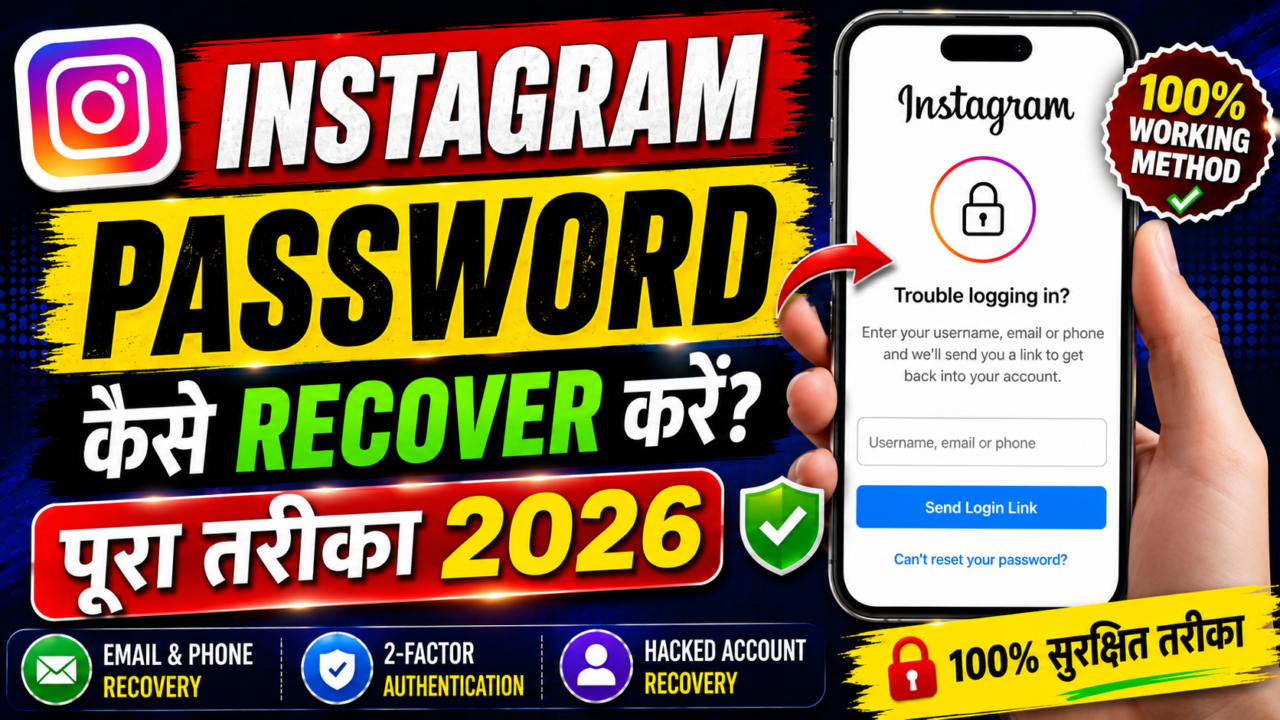
How to Recover Instagram Password
Losing access to an Instagram account can be frustrating, particularly when the account contains important photographs, conversations, business information, or years of personal content. The good news is that forgetting a password does not necessarily mean that the account is permanently lost.
Instagram provides account-recovery mechanisms designed to help the legitimate account owner regain access. These mechanisms are based on account identification and verification rather than revealing the existing password.
In this guide, we will explain how Instagram password recovery works, how to use the Forgot Password option, how email and phone recovery generally work, what happens when two-factor authentication is enabled, what to do if an account has been hacked, and why third-party password recovery applications should be treated with caution.
What Is Instagram Password Recovery?
Instagram password recovery is the process of regaining access to an account when you cannot log in using your current password. The recovery process is designed to establish that you are the legitimate account owner and then provide a way to reset the password.
It is important to understand the difference between password recovery and password retrieval. A legitimate recovery system generally does not show you the existing password in plain text. Instead, it allows you to create a new password after completing the appropriate security checks.
Why Do People Lose Access to Instagram?
There are many reasons why someone may suddenly be unable to access an Instagram account. Forgetting the password is the most obvious reason, but it is not the only one.
- You forgot the password.
- You changed the password and forgot the new one.
- You no longer have access to the email account connected to Instagram.
- You changed your phone number.
- You lost access to the device used for two-factor authentication.
- You accidentally entered incorrect account information.
- Someone else may have changed the account password.
- Your account may have been compromised.
- You are attempting to log in from a new or unfamiliar device.
The correct recovery path depends on the specific situation. Someone who simply forgot a password may need only the standard password-reset process, while someone whose account has been compromised may need additional security and account-recovery steps.
How the Instagram Password Recovery Process Works
At a high level, account recovery follows a simple concept:
- Identify the account.
- Choose an available recovery method.
- Complete the required verification.
- Create a new password.
- Secure the account again.
The exact screens and available options can change over time. Instagram can also show different recovery options depending on the account’s security configuration and the information associated with it.
How to Use the “Forgot Password?” Option
If you simply cannot remember your Instagram password, the built-in password-help option is generally the best place to start.
1 Open Instagram
Open the official Instagram application on your phone. You can also use Instagram’s official website if you prefer recovering the account through a web browser.
2 Go to the Login Screen
Navigate to the Instagram login screen. Look for the password-help option, which may be displayed as “Forgot password?” or similar wording depending on the current version of the application.
3 Enter Your Account Information
Instagram may ask you to provide information that can identify your account. This can include your username, email address, or phone number, depending on what recovery options are available.
4 Select an Available Recovery Method
After identifying the account, Instagram may show available recovery options. Follow the instructions displayed by the official recovery system rather than using an external website.
5 Complete Verification
Depending on your account, Instagram may require an additional verification step. Complete only the verification requested through the official recovery process.
6 Create a New Password
After successful verification, follow the instructions to create a new password. Choose a password that is unique and difficult for others to guess.
Recover Instagram Password Using Email
Email can be an important recovery channel when it is connected to an Instagram account and the account owner still has access to it.
When you start the official recovery process, Instagram may provide an option for receiving account-recovery instructions through the email address associated with the account.
What Should You Do If the Email Does Not Arrive?
If you are expecting an account-recovery message but cannot find it, check your spam, junk, promotions, and other filtered folders. Also make sure that the account information you entered corresponds to the correct Instagram account.
Avoid searching for unofficial recovery websites simply because an expected message has not arrived. The safest approach is to return to Instagram’s official recovery flow and review the available options.
Recover Instagram Account Using a Phone Number
If your Instagram account has a phone number associated with it, the official recovery process may provide a phone-based option.
Follow the instructions shown by Instagram. If a verification message is required, use the code only inside the official Instagram recovery process.
If you no longer control the phone number, do not attempt to bypass security or obtain access to someone else’s number. Instead, look for another official recovery option that is available for your account.
What If You Forgot Your Instagram Username?
Forgetting the username at the same time as the password can make the recovery process more confusing, but it does not automatically mean that the account is lost.
Start with Instagram’s official account-recovery flow and use other information associated with your account when requested. If you still remember the email address or phone number connected to the account, that information may help identify it.
Avoid repeatedly guessing account details or passwords. It is better to use the official recovery system than to keep making unsuccessful login attempts.
What If You No Longer Have Access to Your Email?
Losing access to the email account connected to Instagram can make recovery more difficult because email may be one of the account’s available verification channels.
If possible, first use the legitimate recovery process provided by your email provider to regain access to that email account.
If recovering the email account is not possible, return to Instagram’s official account-recovery process and check whether another verification option is available.
What If You No Longer Have Your Old Phone Number?
An old phone number may no longer be available because you changed carriers, replaced your SIM, or stopped using the number.
If the old number cannot be accessed, do not try to bypass Instagram’s verification system. Instead, use another legitimate recovery method provided by Instagram.
Instagram Two-Factor Authentication and Password Recovery
Two-factor authentication, commonly known as 2FA, adds another security layer to an account. It means that a password alone may not be enough to complete a login.
This is important when recovering an account because resetting a password does not necessarily remove other security requirements.
If you have two-factor authentication enabled, follow the official verification method configured for your account. If the normal method is unavailable, use the recovery options that Instagram provides.
What Are Backup Codes?
Backup or recovery codes can provide an alternative way to complete account verification when the normal two-factor authentication method is unavailable.
These codes should be treated as highly sensitive information. Never publish them online or send them to another person.
How to Recover a Hacked Instagram Account
A hacked account requires more attention than a simple forgotten password. If another person has changed your password or account information, you should use Instagram’s official compromised-account recovery and security options.
Common Signs of a Compromised Account
- Your usual password suddenly stops working.
- Your account email has changed without your permission.
- Your phone information appears to have changed.
- Unknown posts appear on your profile.
- Messages are being sent that you did not write.
- You notice unfamiliar login activity.
- Security notifications appear that you do not recognize.
If you still have access to the account from another trusted device, review your security settings and change the password immediately. Review unfamiliar sessions and connected services as well.
Can Third-Party Apps Recover an Instagram Password?
Many websites and applications claim that they can recover an Instagram password simply by entering a username. These claims should be treated with extreme caution.
A legitimate recovery system verifies account ownership and provides a way to reset the password. It is not designed to reveal another person’s private password.
Suspicious services may ask users to provide login credentials, verification codes, session information, or other sensitive details. Giving these details to an unknown service can put an account at risk.
- “Instant Instagram password recovery.”
- “Reveal any Instagram password.”
- “Recover any account without verification.”
- “Enter a username to get the password.”
- “Bypass Instagram security.”
How Password Reset Systems Work
From a technical perspective, modern authentication systems are designed so that passwords are not normally available as readable information to ordinary users.
When a password reset is requested, the service can initiate a verification process. The user then demonstrates access to an approved recovery method and, after successful verification, creates a new password.
In simple terms, the process can be understood as:
This is why a genuine recovery process should not be described as a way to “find” an old password. The purpose is to safely restore access by replacing the forgotten password.
| Legitimate Recovery | Unauthorized Access |
|---|---|
| Uses the official account-recovery system. | Attempts to obtain credentials without permission. |
| Verifies account ownership. | Attempts to bypass security controls. |
| Results in creating or resetting a password. | Attempts to reveal or obtain private credentials. |
| Intended for the legitimate account owner. | Can violate privacy and account security. |
How to Create a Strong New Instagram Password
After recovering your account, one of the most important steps is to create a strong and unique password.
- Use a long password or passphrase.
- Do not reuse your Instagram password on other websites.
- Avoid birthdays and easily guessed personal information.
- Avoid simple sequences such as 123456.
- Consider using a reputable password manager.
- Enable two-factor authentication when available.
Password uniqueness matters because if the same password is used on several websites, a compromise on one service can increase the risk to other accounts.
How to Keep Your Instagram Account Secure
Keep Recovery Information Updated
Make sure your account’s recovery information remains current. An old email address or phone number can make future account recovery more difficult.
Protect Your Email Account
Your email account can be an important part of your security chain. Protect it with a strong, unique password and appropriate security features.
Protect Verification Codes
Never give a verification code to someone who contacts you and claims they can recover your account. Security codes should remain private.
Review Login Activity
Periodically review account security and login activity. If you notice something unfamiliar, investigate it immediately.
Common Instagram Recovery Mistakes
Using Unofficial Websites
Search engines can show websites that imitate legitimate support pages. Always make sure you are using Instagram’s official recovery system.
Sharing Security Codes
A verification code is intended to verify you during a security process. Sharing it can expose your account.
Installing Unknown Applications
An application promising to reveal an Instagram password may instead collect sensitive information or expose the user to other security problems.
Reusing Passwords
Using the same password across multiple services makes it more difficult to contain the damage if one of those services experiences a security incident.
Instagram Password Recovery Checklist
- Open the official Instagram application or website.
- Go to the login screen.
- Select the password-help option.
- Enter your account-identifying information.
- Choose an available official recovery method.
- Complete the required verification.
- Create a new unique password.
- Review your account’s security settings.
- Enable two-factor authentication where appropriate.
- Keep your recovery information updated.
Frequently Asked Questions
Can I see my old Instagram password?
The normal recovery system is designed to help you reset the password, rather than display the existing password in readable form.
Can I recover Instagram without knowing my password?
Yes. Forgetting the password is one of the main reasons that the official account-recovery process exists. You must complete whatever verification options Instagram makes available for your account.
Can I recover my account using email?
If an accessible email address is associated with your account, it may be available as a recovery method.
Can I recover my account using a phone number?
A phone number may be available as a recovery option if it is connected to the account and Instagram offers that method.
What if I lost access to both email and phone?
Use the additional recovery options provided by Instagram. Available options can vary depending on the account and its security settings.
What should I do if someone changed my password?
Treat the situation as a potential account-security issue and use Instagram’s official compromised-account and recovery options.
Are Instagram password recovery apps safe?
Be very cautious. Apps claiming to reveal another person’s Instagram password are not a legitimate replacement for Instagram’s official recovery system.
Does changing the password improve account security?
Changing a forgotten or compromised password is an important security step. For stronger protection, also review security settings and use additional security features where available.
Conclusion
Recovering an Instagram account is primarily about verifying account ownership and creating a new password. If you simply forgot your password, start with Instagram’s official password-help option.
If you still have access to your recovery email or phone number, the process may be straightforward. If you have lost access to those recovery channels or believe that someone has taken control of your account, use Instagram’s official additional recovery and security options.
Avoid websites, applications, and individuals who claim that they can reveal an Instagram password or bypass account security. Legitimate recovery is based on account verification and password resetting, not secretly obtaining another person’s credentials.
Once access has been restored, protect the account with a unique password, updated recovery information, strong email security, and two-factor authentication where available.

 Help
Help