WhatsApp की Delete Photo Video कैसे Recover करें | How to Recover Deleted Photos and Videos from WhatsApp
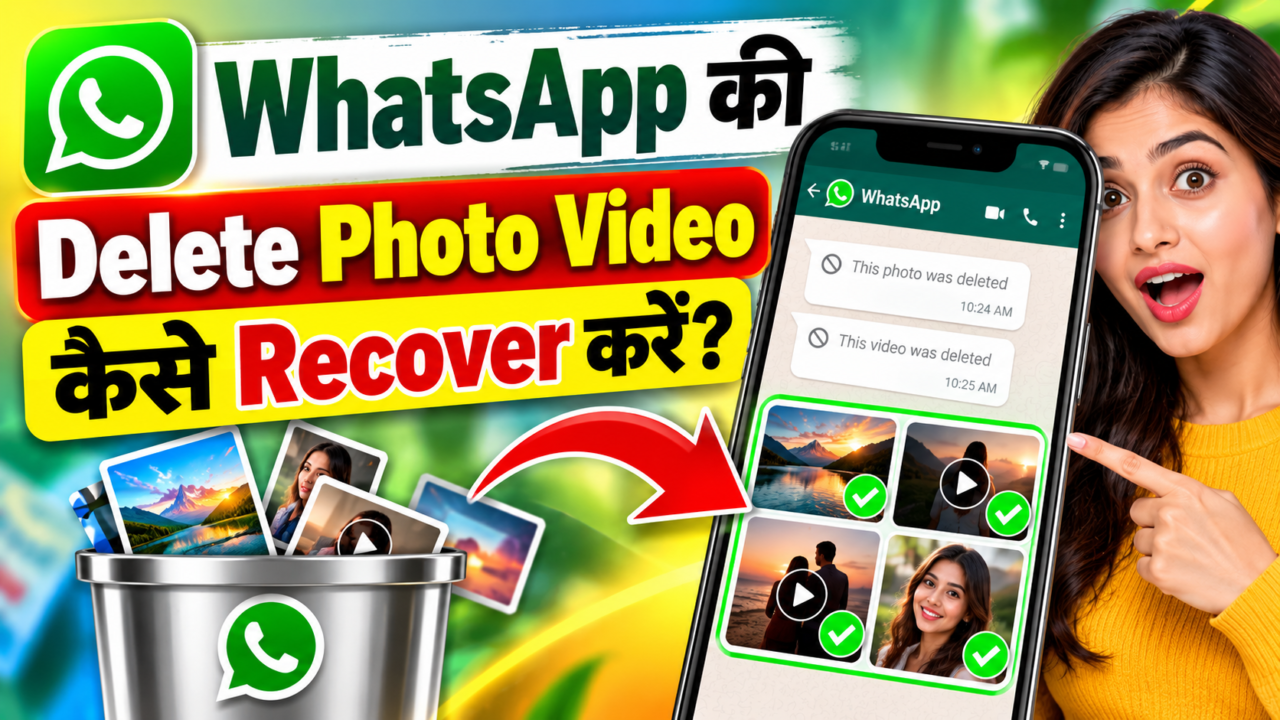
How to Recover Deleted WhatsApp Photos and Videos: Complete Recovery Guide
If you have accidentally deleted an important photo or video from WhatsApp, do not panic. In many situations, the file may still be available through a WhatsApp backup, your phone’s gallery, a file manager, cloud storage, or another copy of the same media.
However, it is important to understand one thing before trying any recovery method: there is no universal method that can recover every permanently deleted WhatsApp photo or video. Recovery depends on how the file was deleted, whether a backup exists, whether the media is still stored somewhere on the phone, and whether the storage space has already been reused.
In this detailed guide, we will explain the safest recovery methods first, followed by Android recovery apps, their Google Play ratings, their limitations, and the common fake recovery-app and recovery-service scams you should avoid.
What Happens When You Delete a WhatsApp Photo or Video?
When you delete a WhatsApp photo or video, several different things can happen depending on your device and WhatsApp settings.
The message may disappear from the WhatsApp conversation while the actual media file can still exist in your phone’s storage. In other cases, the media may also have been removed from the device. A copy may still exist in Google Photos, another cloud backup, a file manager folder, an SD card, or a previous WhatsApp backup.
This is why checking existing copies and backups should always be the first step before installing a recovery application.
Method 1: Check the WhatsApp Chat Again
The first and simplest step is to open the WhatsApp conversation where the photo or video was originally sent.
If the media is still available in the chat, tap it and check whether WhatsApp allows you to download it again. This can happen when the message itself still exists but the local copy of the media has disappeared from your phone.
If the media is no longer available and WhatsApp shows that the file cannot be downloaded, move to the next recovery method.
Method 2: Check Your Phone Gallery
Before using any recovery app, open your phone’s Gallery or Photos application.
Look inside albums such as:
- WhatsApp Images
- WhatsApp Video
- Recently Deleted
- Trash
- Bin
- Downloads
- Camera
- Other WhatsApp-related albums
Many modern Android phones provide a Recently Deleted or Trash section. If the deleted media is there, restoring it from the gallery is generally much safer than using a third-party recovery application.
Method 3: Check Google Photos
If Google Photos backup was enabled, the deleted photo or video may still be available in Google Photos or its Trash/Bin section.
Open Google Photos and search for the approximate date when the WhatsApp media was received or created. Also check the Trash/Bin section if the file was recently deleted.
This method is particularly useful when the WhatsApp copy has disappeared but another cloud-synchronized copy still exists.
Method 4: Check the WhatsApp Media Folders
On Android devices, WhatsApp media may be stored in WhatsApp-related folders. Depending on the Android version and WhatsApp installation, the exact location can differ.
Use your phone’s built-in Files or File Manager application and search for folders or files associated with WhatsApp media.
Look for folders containing names such as:
- WhatsApp Images
- WhatsApp Video
- WhatsApp Documents
- WhatsApp Media
Do not randomly delete or move files while checking these folders. If you find an important file, make a copy of it somewhere safe before making further changes.
Method 5: Restore WhatsApp from a Backup
If the deleted photo or video was included in a previous WhatsApp backup, restoring that backup may bring the media back.
WhatsApp’s official help information explains that Android users can back up WhatsApp chats to their Google Account. The backup settings can also include videos. WhatsApp states that chats and media can be restored from the last successful backup available for the account/device setup.
Before restoring anything, remember that restoring an older backup can affect newer messages and media that were created after that backup. Therefore, do not rush into deleting and reinstalling WhatsApp without first understanding which backup you are restoring.
How to Check WhatsApp Backup Settings
- Open WhatsApp.
- Open Settings.
- Go to Chats.
- Open Chat backup.
- Check the date and size of the available backup.
- Check whether videos were included in the backup.
WhatsApp officially recommends enabling regular backups and provides an option to include videos in the backup.
Important: WhatsApp Cannot Simply Recover Any Deleted File From Its Servers
A common misunderstanding is that WhatsApp keeps every deleted photo and video on its servers and can restore it whenever you request it.
That is not how WhatsApp’s backup system works. WhatsApp’s Help Center says that it cannot restore your chats for you because chat history is not stored on WhatsApp’s servers. Recovery generally depends on a backup or another copy of the data.
This is one of the most important points to understand before paying a website or an application that promises guaranteed WhatsApp recovery.
What If There Is No WhatsApp Backup?
If there is no usable WhatsApp backup, you can still check other locations where the media may have survived.
Check the phone gallery, Recently Deleted/Trash, Google Photos, cloud storage, file manager folders, SD cards, computer backups, and copies sent to another person.
If the file does not exist anywhere and has genuinely been deleted from internal storage, recovery becomes much more difficult. Modern smartphones use storage technologies and encryption that can make traditional undelete methods much less effective than many online advertisements suggest.
Popular Android Recovery Apps You May Come Across
There are several Android applications that advertise photo, video, or file recovery. Their capabilities vary significantly. A recovery app should not be treated as a guaranteed WhatsApp recovery solution.
1. DiskDigger Photo/File Recovery
Google Play rating checked in September 2026: 3.1/5 from approximately 506K reviews.
DiskDigger is one of the better-known Android file-recovery applications. Its Google Play listing says it can search for deleted photos, images, videos, documents and other files from internal storage or external memory cards.
However, its own listing explains an important limitation: on non-rooted devices, recovery capabilities are restricted. The Pro version notes that deeper access to internal storage and additional file types requires root access, while non-rooted devices may only provide limited recovery of photos and videos from cache and thumbnail locations.
This means DiskDigger should not be advertised as a guaranteed method for recovering every deleted WhatsApp image or video.
2. Dr.Fone: Photo & Data Recovery
Google Play rating checked in September 2026: 3.8/5 from approximately 24.5K reviews.
Dr.Fone is a broader phone-management and recovery toolkit. Its Google Play listing describes features including data transfer, chat transfer, deleted-data recovery, system repair and other device tools.
The application may be useful in situations where you need a wider set of phone-management features, but users should carefully check which recovery functions are available for their specific device before purchasing anything.
Its Google Play data-safety section also states that the application may collect several types of information, including location and photos/videos, and may share certain data types with third parties. Users should therefore review the current privacy information before granting broad permissions.
3. Dumpster: Photo/Video Recovery
Google Play rating checked in September 2026: 3.9/5 from approximately 694K reviews.
Dumpster works differently from a traditional deep-recovery utility. Its Google Play description presents it primarily as a recycle-bin style application that can restore supported files saved in its bin.
This distinction is important. If the file was deleted before Dumpster was installed or before the relevant protection mechanism was active, installing Dumpster later does not necessarily mean it can recover that old file.
4. Other Apps Claiming Photo Recovery
Google Play also contains many applications with names such as Photo Recovery, Data Recovery, File Recovery and Deleted Photo Recovery.
One such application currently shows a rating of approximately 3.2/5 from more than 100,000 reviews on Google Play. Its listing claims recovery of photos, videos, documents and audio files.
However, a large number of reviews or a recovery-related name does not prove that an application can recover a particular deleted WhatsApp file. Recovery success depends on the actual storage state of the device.
Recovery App Ratings: Quick Comparison
| App | Approx. Rating | Approx. Reviews | Main Purpose |
|---|---|---|---|
| DiskDigger | 3.1/5 | 506K+ | Photo/file recovery |
| Dr.Fone | 3.8/5 | 24K+ | Phone toolkit and data recovery |
| Dumpster | 3.9/5 | 694K+ | Recycle-bin style recovery |
| Photo/Data Recovery apps | Varies | Varies | Photo and file recovery claims |
Note: Google Play ratings and review counts can change over time. The figures above are a snapshot checked in September 2026, not a permanent rating.
Beware of Fake WhatsApp Recovery Apps and Scams
The data-recovery market contains legitimate tools, but it also contains applications and websites that make exaggerated claims.
Be especially careful with services that promise things such as “100% WhatsApp recovery,” “recover any deleted photo,” “recover permanently deleted videos instantly,” or “recover WhatsApp data without backup in one click.”
No legitimate recovery tool can guarantee that every permanently deleted file will be recovered from every phone.
Common Warning Signs
- Promises of 100% guaranteed recovery.
- Requests for your WhatsApp verification code.
- Requests for your WhatsApp password or two-step verification PIN.
- Requests for your Google Account password.
- Requests to disable important phone security features.
- Websites claiming they can remotely access WhatsApp’s private servers.
- Large payment demands before showing any evidence that recovery is possible.
- Fake screenshots showing supposedly recovered WhatsApp messages.
- Applications asking for unrelated permissions without a clear reason.
- Promises that a deleted file can always be recovered regardless of when it was deleted.
This is one of the most important security rules.
If someone claiming to be a recovery expert asks for your WhatsApp verification code, do not provide it. A recovery service should not need your one-time verification code simply to scan storage for a deleted local file.
The same warning applies to Google Account passwords, email passwords, banking credentials, UPI PINs and other sensitive authentication information.
Why Recovery Apps Cannot Always Recover Permanently Deleted Files
Deleting a file does not always mean the physical storage immediately becomes empty. But modern smartphones use sophisticated storage systems, encryption and background processes.
When storage space is reused, the original data may become unavailable to ordinary recovery software. This is why installing several recovery applications and repeatedly scanning the device is not a guaranteed solution.
In some cases, the application may show thumbnails, cached images, existing files or other remnants rather than the original full-resolution WhatsApp media.
What You Should Do Immediately After Accidentally Deleting a Photo
- Do not panic.
- Check the WhatsApp conversation again.
- Check Gallery and Recently Deleted/Trash.
- Check Google Photos and its Trash/Bin.
- Check WhatsApp media folders using the phone’s file manager.
- Check whether a WhatsApp backup exists.
- Check other cloud storage or computer backups.
- Ask the sender or recipient whether they still have the original file.
- Avoid installing random recovery applications from unknown websites.
- Do not give anyone your WhatsApp OTP or account password.
Can a Deleted WhatsApp Video Be Recovered Without Backup?
Sometimes a video can still be found if another copy remains on the device, in the gallery, in cloud storage, in a recycle bin, or on another person’s phone.
However, if the only copy was permanently deleted from the device and there is no backup or duplicate copy, successful recovery is not guaranteed.
Third-party recovery applications may sometimes find recoverable remnants, but their success depends heavily on the device, storage type, Android version, permissions, and what happened after the deletion.
What About Rooting an Android Phone?
Some advanced Android recovery tools advertise deeper scanning when a device is rooted. However, rooting a phone is an advanced procedure and can introduce security, compatibility and data-loss risks.
For most users, it is better to first try WhatsApp backup restoration, Gallery/Trash recovery, Google Photos, file-manager checks and other existing backups before considering advanced procedures.
If the deleted media is extremely important, professional data-recovery services may be an option, but users should verify the company’s identity, privacy practices, pricing and realistic recovery expectations before handing over a device.
Android vs iPhone: Is the Recovery Process the Same?
No. Android and iPhone use different storage architectures, backup systems and operating-system restrictions.
On Android, Google Account backups, device-specific storage and manufacturer gallery features can play an important role. On iPhone, iCloud and Apple backup mechanisms are generally the main areas to check.
Therefore, an application that claims to work on Android should not automatically be assumed to provide the same recovery capability on iPhone.
Can WhatsApp Recover a Photo Deleted Months Ago?
There is no general guarantee that WhatsApp can restore a photo simply because it was previously sent through WhatsApp.
If a suitable backup from the required period exists, the situation may be different. But if the relevant backup was overwritten, does not contain the media, or never existed, WhatsApp itself cannot simply retrieve the missing file from its servers.
How to Avoid Losing WhatsApp Photos and Videos in the Future
The best recovery strategy is prevention.
Open WhatsApp’s backup settings and configure a regular backup schedule that suits your needs. WhatsApp provides options for Google Account backups on Android and allows users to choose whether videos should be included.
You can also keep important personal photos and videos in a separate trusted cloud-storage or computer backup instead of relying entirely on WhatsApp.
For especially important files, keeping more than one legitimate copy is much safer than depending on a recovery application after accidental deletion.
Frequently Asked Questions
Can I recover permanently deleted WhatsApp photos?
Sometimes, but there is no guaranteed method. First check WhatsApp backups, Gallery Trash/Recently Deleted, Google Photos, device storage and other copies.
Is DiskDigger guaranteed to recover deleted WhatsApp photos?
No. DiskDigger can search for recoverable files, but its capabilities depend on the device and storage access. Its Google Play listing specifically describes limitations on non-rooted devices.
Can I recover WhatsApp media without a backup?
You may find another copy in Gallery, Trash, cloud storage, a media folder, an SD card or another device. If no copy remains, recovery may not be possible.
Are WhatsApp recovery apps safe?
Safety varies by application. Download apps only from trusted official app stores, review permissions and privacy information, and avoid giving an application access that is unrelated to its stated purpose.
Should I pay someone who promises 100% WhatsApp recovery?
Be extremely cautious. A 100% recovery guarantee is a major warning sign because actual recovery depends on whether the original data still exists in an accessible form.
Can WhatsApp recover deleted media directly from its server?
WhatsApp’s Help Center states that it cannot restore chats for users because chat history is not stored on WhatsApp’s servers. Recovery therefore generally depends on an available backup or another surviving copy.
Final Verdict: Which Recovery Method Should You Try First?
If you accidentally deleted a WhatsApp photo or video, do not immediately install a random “deleted data recovery” application.
Start with the safest options: check the WhatsApp conversation, Gallery, Recently Deleted/Trash, Google Photos, WhatsApp media folders and your available WhatsApp backup. These methods are usually more appropriate because they attempt to locate an existing copy rather than relying on uncertain undelete techniques.
If those options do not work, a reputable recovery application may be worth investigating, but treat its advertised recovery capability as a possibility rather than a guarantee.
Most importantly, never share your WhatsApp OTP, Google Account password, banking information or other sensitive credentials with someone claiming that they can recover your deleted photos. A legitimate recovery process should not require you to surrender control of your accounts.
In short: backups and existing copies are the safest recovery paths; third-party recovery tools have limitations; and anyone promising guaranteed recovery of every permanently deleted WhatsApp file should be treated with caution.
WhatsApp Delete Photo Video Recover
Please wait, processing…





 Help
Help