Instagram Ka Deleted Chat Kaise Recover Kare | How to Recover Deleted Instagram Chat
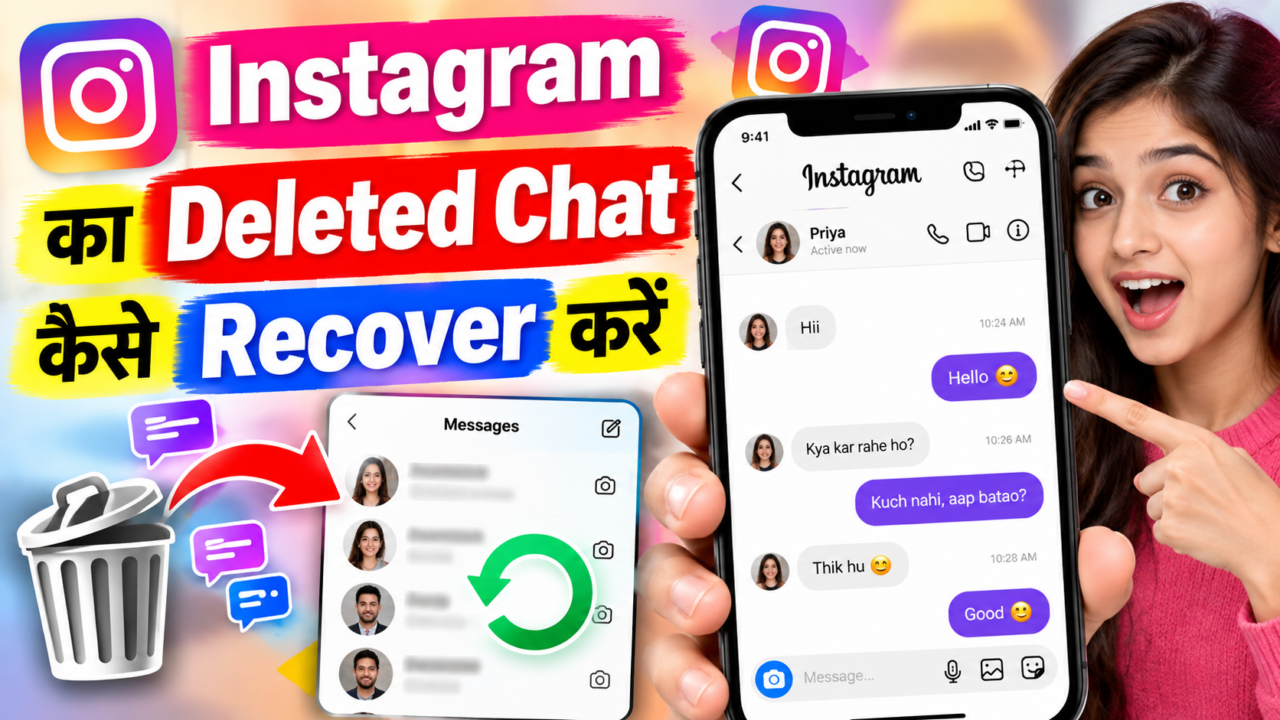
If an Instagram conversation has been deleted, there is no universal button that guarantees the chat will come back. The recovery options depend on what happened to the conversation, whether the information still exists in Instagram’s systems, whether it is included in an available data export, and whether the other participant still has a copy of the conversation.
This guide explains the official and practical ways to check for deleted Instagram messages, request an Instagram data download, use Meta’s official account-management tools, understand what Meta Business Suite can and cannot do, and determine when a deleted chat is unlikely to be recoverable.
What Does “Deleted Instagram Chat” Actually Mean?
People use the phrase “deleted chat” for several different situations. You may have deleted a conversation from your inbox, unsent individual messages, lost access to an account, archived or hidden a conversation, or simply stopped seeing older messages because of an application or account problem.
These situations should not be treated as identical. The first step is to identify exactly what happened before trying a recovery method.
Can Deleted Instagram Chats Be Recovered?
Sometimes you may be able to find information related to an old conversation through an official Instagram data export or another remaining copy. However, a data download should not be treated as a guaranteed way to restore every deleted message back into the Instagram Direct inbox.
If Instagram no longer provides the relevant message data, there is no official third-party application that can force Instagram to recreate the deleted conversation.
Avoid websites and apps that claim they can instantly recover every deleted Instagram DM by asking for your Instagram password, login code, session cookie, or QR login information. These are not official Instagram recovery methods.
Official Method: Request a Copy of Your Instagram Information
Instagram provides an official way to access or download information associated with your account. The exact menu wording can change as Instagram updates its interface, so the path may appear through Accounts Center and the account’s information or download options.
The important point is to use Instagram’s own account-management system rather than a third-party “message recovery” website.
How to Request Your Instagram Data Step by Step
Step 1: Open Instagram
Open the official Instagram application and sign in to the account that contains the conversation you are trying to investigate.
Step 2: Open Your Profile
Go to your Instagram profile and open the account menu.
Step 3: Open Accounts Center
Look for Accounts Center. Meta has moved several account, privacy and information controls into Accounts Center, so the exact location can vary by app version.
Step 4: Find Your Information or Download Information
Open the section related to your information, data, or downloading your information. Select the Instagram account you want to check if multiple Meta accounts are connected.
Step 5: Request the Available Information
Follow the on-screen instructions to request the available account information. Instagram may ask you to choose the information, date range, format, and other export settings.
Step 6: Wait for the Export
Depending on the account and the amount of information requested, the export may not be immediate. Follow the instructions shown by Instagram and use only the official download location provided by Meta.
Step 7: Inspect the Export
After receiving the official export, look for information related to messages or conversations. The exact file structure and available categories can change over time.
Will the Data Download Restore the Chat Inside Instagram?
Not necessarily. This distinction is very important.
An information export is primarily a way to access information made available by Meta. It should not be described as a “restore chat” button. Even if message-related information appears in an export, that does not necessarily mean Instagram will recreate the deleted conversation in the Direct inbox.
A data export can help you check what information is available to you. It is not the same thing as restoring a deleted conversation back into the Instagram app.
What If the Deleted Chat Appears in the Data Export?
If relevant conversation information is included in the export, save the file securely and review it carefully. Depending on the export format, you may need to open folders or files containing message-related information.
The export may be useful for finding information that is still available, but it does not guarantee that the conversation can be imported back into Instagram.
What If the Deleted Chat Does Not Appear in the Export?
If the requested information does not contain the conversation or messages you are looking for, that is a strong indication that the relevant data is not available through that particular export.
It does not create a legitimate reason to give your login details to a “recovery expert.” Instead, check the remaining official options and whether another participant still has the conversation.
Can the Other Person Still Have the Deleted Conversation?
Possibly. Deleting a conversation from your own Instagram inbox does not automatically mean that every copy or related information on another participant’s account is identical.
If you need a specific message for a legitimate reason, you can ask the other participant whether they still have access to the conversation and can share the relevant information with you.
What Happens If You Unsend a Message?
Unsending a message is different from simply removing a conversation from your inbox. If an individual message has been unsent, you should not assume that an official data-download process will recreate that message in your Instagram chat.
Also remember that the other person may have already seen, copied, or captured information from a message before it was unsent.
Can Instagram’s Recently Deleted Feature Recover DMs?
Instagram has used “Recently Deleted” functionality for certain types of content, but users should not assume that every deleted Direct Message can be restored through the same feature.
If the feature shown in your current Instagram app does not list a particular conversation or message, do not rely on it as a guaranteed DM recovery method.
Can Reinstalling Instagram Recover Deleted Chats?
No. Reinstalling the Instagram application does not normally recreate an account-level conversation that has already been deleted.
Reinstalling can be useful for troubleshooting an application problem, but it should not be presented as a deleted-message recovery method.
Can Clearing Instagram Cache Recover Deleted Messages?
Clearing an app cache may help with loading or display problems, but it does not provide an official mechanism for restoring permanently unavailable Instagram messages.
If a conversation disappeared because of a temporary app problem, signing in again after troubleshooting may help the app display the account correctly. That is different from recovering permanently deleted data.
Can Logging Out and Logging Back In Recover a Chat?
It can help if the problem is caused by a temporary session or synchronization issue, but it is not a guaranteed deleted-chat recovery method.
Before logging out, make sure you know your correct login details and that you can securely access the account again.
Can Changing the Phone Recover Deleted Instagram Chats?
Changing devices does not normally restore deleted account data. Instagram account information is primarily associated with the account and Meta’s systems rather than being stored only on one physical phone.
A new device can help you access an account that still contains its available conversations, but it does not guarantee recovery of deleted messages.
Can a Backup Restore Instagram DMs?
Do not assume that a normal phone backup is an Instagram DM backup. Device backups and Instagram’s account data are different systems.
If you are investigating deleted Instagram messages, the relevant official account-information options are more important than assuming that restoring an Android or iPhone backup will recreate a deleted Instagram conversation.
Official Instagram and Meta Apps You Should Know About
Several official Meta products can be relevant to Instagram account management, content management, messaging or business operations. However, none should be described as a universal deleted-DM recovery tool.
| Official Product | What It Is Used For | Deleted DM Recovery? |
|---|---|---|
| Instagram posts, Reels, Stories, profiles, Direct messages and account settings | No guaranteed recovery button for every deleted chat | |
| Meta Business Suite | Managing supported Facebook and Instagram business activity, including inbox and messaging workflows for eligible accounts | Not a universal deleted-chat recovery tool |
| Meta Ads Manager | Creating and managing advertising campaigns across supported Meta products | No |
| Meta Business tools / APIs | Supported integrations and programmatic management for eligible professional accounts and businesses | No general deleted-chat restoration function |
| Threads | Text-based social networking within Meta’s ecosystem | No Instagram DM recovery function |
What Is Meta Business Suite?
Meta Business Suite is an official Meta business-management product. It can help eligible businesses and creators manage supported Facebook and Instagram activity from a centralized workspace.
For supported Instagram professional accounts, business-management tools can include inbox and messaging workflows. This can be useful for managing incoming conversations, but it should not be confused with a tool that can restore a permanently deleted Instagram conversation.
Can Meta Business Suite Recover Deleted Instagram Chats?
Meta Business Suite should not be treated as a deleted-DM recovery application.
If a message is still available to an eligible account and the relevant business inbox supports it, Business Suite can help manage the conversation. But installing Business Suite after a conversation has been permanently deleted does not guarantee that the old conversation will reappear.
Can Meta Business Suite Be Used for Auto-DM?
Meta provides official business messaging and automation capabilities for eligible accounts and supported use cases. Depending on the account and available features, businesses may be able to configure automated responses or messaging workflows.
These features are intended for communication management, not for recovering deleted conversations.
Do not connect an unknown “auto-DM” application to your Instagram account just because it promises deleted-message recovery. An automation tool and a recovery tool are two completely different things.
What About Instagram Messaging APIs?
Meta provides official developer tools and APIs for eligible Instagram professional accounts and supported messaging use cases. These tools can allow approved integrations to work with Instagram features within Meta’s platform rules.
API access should not be interpreted as private access to deleted Instagram messages. An API can only expose information and actions that the account, permissions, product and platform rules allow.
Can Third-Party Auto-DM Apps Recover Deleted Chats?
Normally, no. A third-party automation service does not automatically gain the ability to recover deleted Instagram conversations simply because it can send or manage messages.
If a service claims that its automation system can retrieve every deleted DM from Instagram’s servers, treat that claim with extreme caution unless the capability is explicitly documented by Meta as an official feature.
Can a Third-Party Instagram Manager Recover Deleted DMs?
Third-party social-media management platforms can provide useful scheduling, publishing, analytics, inbox and workflow features when properly authorized. However, access to an account does not mean the service can recover information that Instagram no longer makes available.
Before connecting any service, check its permissions, privacy practices and whether the integration is officially supported by Meta.
Should You Give Your Instagram Password to a Recovery Service?
A legitimate recovery process should not require you to hand over control of your Instagram account to an unknown person or website.
Be particularly careful with services asking for two-factor authentication codes, backup codes, session cookies, QR login access, or complete account credentials.
What If a Website Says “100% Instagram Chat Recovery”?
There is no universal official guarantee that every deleted Instagram chat can be recovered. A website using phrases such as “100% recovery,” “server recovery,” or “secret Instagram database access” should not be treated as an official Meta recovery service merely because it uses Instagram branding.
Use Instagram’s own account settings and Meta’s official tools first.
What If the Chat Disappeared Without You Deleting It?
If you did not intentionally delete the conversation, treat the issue first as a possible account or application problem.
- Check whether you are signed into the correct Instagram account.
- Search your inbox for the person’s username.
- Check whether the conversation is still accessible from another supported device.
- Update the official Instagram application.
- Sign out and sign back in if appropriate.
- Check whether Instagram is experiencing a service problem.
- Secure the account if you suspect unauthorized access.
What If Someone Else Accessed Your Instagram Account?
If you suspect that another person accessed your account, the priority is account security rather than trying random recovery applications.
- Change the account password through Instagram’s official security controls.
- Review active login sessions or devices.
- Enable or review two-factor authentication.
- Remove unfamiliar access where Instagram provides that option.
- Review recent account-security notifications.
Can Hacking Recovery Tools Recover Deleted Instagram Chats?
You should not use “Instagram hacking,” “DM database,” or account-cracking tools to try to recover messages. They are not legitimate substitutes for Instagram’s account-information systems and can expose your account to additional security risks.
If the account itself has been compromised, use Instagram’s official account-recovery process.
Can Downloading Instagram Data Recover Photos and Videos From Chats?
A data export may contain some account information that remains available to the account, but the contents and categories included in an export can vary. Do not assume that every photo, video, disappearing message, unsent message, or deleted attachment will be included.
If an item is absent from the official export and no longer accessible in Instagram, there is no guaranteed official method that can recreate it.
What Are the Possible Results?
| Situation | Possible Result | What You Should Do |
|---|---|---|
| Chat is still available | You may be able to access it normally | Use Instagram or a supported official business inbox |
| Chat was deleted from your inbox | Recovery is not guaranteed | Check official account information and remaining copies |
| Message data appears in an export | You may be able to inspect the available information | Save the export securely; do not assume it restores the inbox |
| Message data is absent from the export | It may not be available through that export | Avoid third-party “recovery” services |
| Other participant still has the conversation | They may still be able to provide relevant information | Ask them directly if appropriate |
| Account was compromised | Security recovery may restore account access | Use Instagram’s official security and recovery process |
What You Should Not Do
- Do not install random Instagram recovery APKs.
- Do not give your Instagram password to a stranger.
- Do not share login verification codes.
- Do not share two-factor authentication codes or backup codes.
- Do not give an unknown service your session cookies.
- Do not scan an unknown QR code for account access.
- Do not pay someone for a “guaranteed” deleted-DM recovery.
- Do not assume an auto-DM service has access to deleted server-side messages.
- Do not download modified Instagram applications for recovery.
Instagram Deleted Chat Recovery Checklist
- Confirm that you are using the correct Instagram account.
- Check whether the conversation is actually deleted or simply not visible.
- Search the Instagram inbox for the other account.
- Check Instagram’s current Accounts Center information/download options.
- Request an official data export when appropriate.
- Inspect the available message-related information in the export.
- Check whether the other participant still has the conversation.
- If you use Instagram professionally, check the supported Meta Business Suite inbox.
- Do not treat third-party auto-DM tools as recovery tools.
- Secure your account if you suspect unauthorized access.
- Do not share passwords, codes, cookies or QR login information.
- Accept that some deleted information may not be recoverable.
Frequently Asked Questions
Can I recover a permanently deleted Instagram chat?
There is no guaranteed official method for every permanently deleted chat. An official data export can help you check what account information is still available, but it does not guarantee restoration of the conversation inside Instagram.
Can Instagram support restore my deleted chat?
You should use Instagram’s official support and account-information processes when available, but you should not assume that support can restore every deleted conversation.
Can Meta Business Suite restore deleted DMs?
Meta Business Suite can provide supported business inbox and messaging-management features, but it is not a universal deleted-DM restoration tool.
Can an auto-DM app recover deleted messages?
No general auto-DM capability should be treated as a deleted-message recovery feature. Messaging automation and data recovery are different functions.
Can a data download bring the chat back?
No. A data download is an information-access method. Even if message information is present in the export, it does not necessarily restore the conversation to the Instagram inbox.
What if the deleted chat is not in my download?
If the relevant information is not present in the official export, there is no guarantee that another application can retrieve it. Be cautious about services making claims that exceed Meta’s documented capabilities.
Can I recover messages after changing my phone?
Changing phones does not by itself recover deleted Instagram messages. The account’s available data remains the important factor.
Is there an Instagram APK that can recover deleted chats?
You should not rely on modified or unofficial Instagram APKs for recovery. Use the official Instagram application and Meta’s official account-management tools.
Final Conclusion
Recovering deleted Instagram chats is not as simple as installing a recovery application or pressing an “Unban/Recover DM” button. The most reliable approach is to use Instagram’s official account, Accounts Center and information-download tools, then check whether the relevant conversation data is still available.
For professional accounts, Meta Business Suite and supported Meta messaging tools can help manage conversations and business messaging, including certain automation workflows. They should not, however, be presented as guaranteed tools for restoring permanently deleted chats.
If the conversation is unavailable from Instagram, absent from the official data export, and no other participant still has a copy, recovery may not be possible. In that situation, avoid websites and applications that request your password, verification code, two-factor authentication code, QR login or session information in exchange for a promised recovery.
Use the official Instagram app → check the account and inbox → use Accounts Center to request available account information → inspect the official export → check supported Meta Business tools if you use a professional account → secure the account if necessary → and avoid third-party services that promise guaranteed deleted-chat recovery.
This article is for general informational purposes. Instagram, Accounts Center, Meta Business Suite, APIs, data-export options and messaging features can change over time. Always verify the exact options shown in your current official Meta or Instagram account interface.
Instagram Chat Recover
ऊपर दी गई PDF file को download करें और अपनी chats देखें।
अगर आपकी Chat Restore नहीं हो पाई है तो आप हमें WhatsApp पर मैसेज करें।
Open WhatsApp

 Help
Help